
Do you ever feel like your digital audiobook library is a bit out of control? Maybe you bought an audiobook you thought you’d love, but it just wasn’t for you. It’s easy for us bookworm online types to gather many titles, especially if we have an Audible book subscription guide that gives us new reads each month. But an unmanaged collection can lead to stress. You might feel overwhelmed by too many choices, waste money on books you never finish, or simply lose time trying to keep track of everything you own.
Luckily, you don’t have to stay stuck with audiobooks you don’t want. This guide is here to help you take charge of your digital library in 2026. We’ll show you how to easily return Audible book titles and get your credits or money back. This can help you save your hard-earned cash and make space for stories you truly want to listen to.
You’ll learn about important rules for returning audiobooks, like how soon you need to do it and how much you can listen before it’s too late. For example, Audible Premium members can often return titles if they meet certain requirements, sometimes even up to a year after buying them Return a title. We will share clear, step-by-step ways to organize your titles and protect your purchases. This way, your digital bookshelf will always be filled with stories that bring you joy. We’ll also touch on other options like finding Gutenberg Project free books if you want to expand your reading for free.
Ready to make the most of your audiobook collection and discover new ways to engage with stories? Join The Newsletter for more updates on books, creative challenges, and ways to connect with our community.
A messy audiobook collection can truly steal your joy and peace of mind. Many people face similar problems when trying to manage their digital audiobooks. Let’s look at some common issues and how to fix them quickly.
Accidental Buys and Unwanted Stories
Have you ever bought an audiobook by mistake? Maybe you meant to get the first book in a series, like Harry Potter and the Philosopher's Stone book, but clicked on the second one. Or perhaps you started listening to a book, and it just wasn’t what you hoped for. These accidental purchases or wrong choices are common.
The quick fix here is simple: if you don’t want it, you can usually return it. For example, Audible often lets its Premium members return an audiobook for a credit or refund, sometimes even up to a year after buying it What You Need to Know Before Returning an Audible. This is a great way to return Audible book titles that don’t fit your taste. Remember, if you’re not happy with a purchase, checking the return policy is always a smart first step. You can also watch a helpful video on How to Return a Book on Audible in 2025 for clear steps.
Too Many Duplicates or Forgotten Books
Another common problem is having duplicate titles. You might buy a book you already own, especially if your library is huge. Or maybe you download a sample of a book and forget about it, adding to the clutter. This can make your library feel heavy and hard to use.
To fix this, go through your library and look for doubles. If you find one, you might be able to return the newer copy if it’s still within the return window. If not, simply archive one of them. Archiving hides a book from your main view without deleting it forever. This helps clean up your digital shelves without losing anything important.
Losing Track of Your Membership Benefits
It’s easy to sign up for different audiobook services or memberships and then forget what each one offers. You might not be using all your monthly credits, or you might be paying for a service you barely touch.
The quick fix is to check your accounts regularly. Look at your billing statements or log into each audiobook platform once a month. This helps you use up any credits you’ve earned and decide if a membership is still worth it. If you’re looking for more ways to find stories, you can even unlock Reddit free books from online communities.
Overwhelmed by Choices? Simple Organization is Key
When you have hundreds of audiobooks, it’s easy to feel overwhelmed. You might spend more time trying to pick a book than actually listening to one. This feeling can stop you from enjoying your collection.
The best way to fix this is to organize your library. You can use simple tricks like:
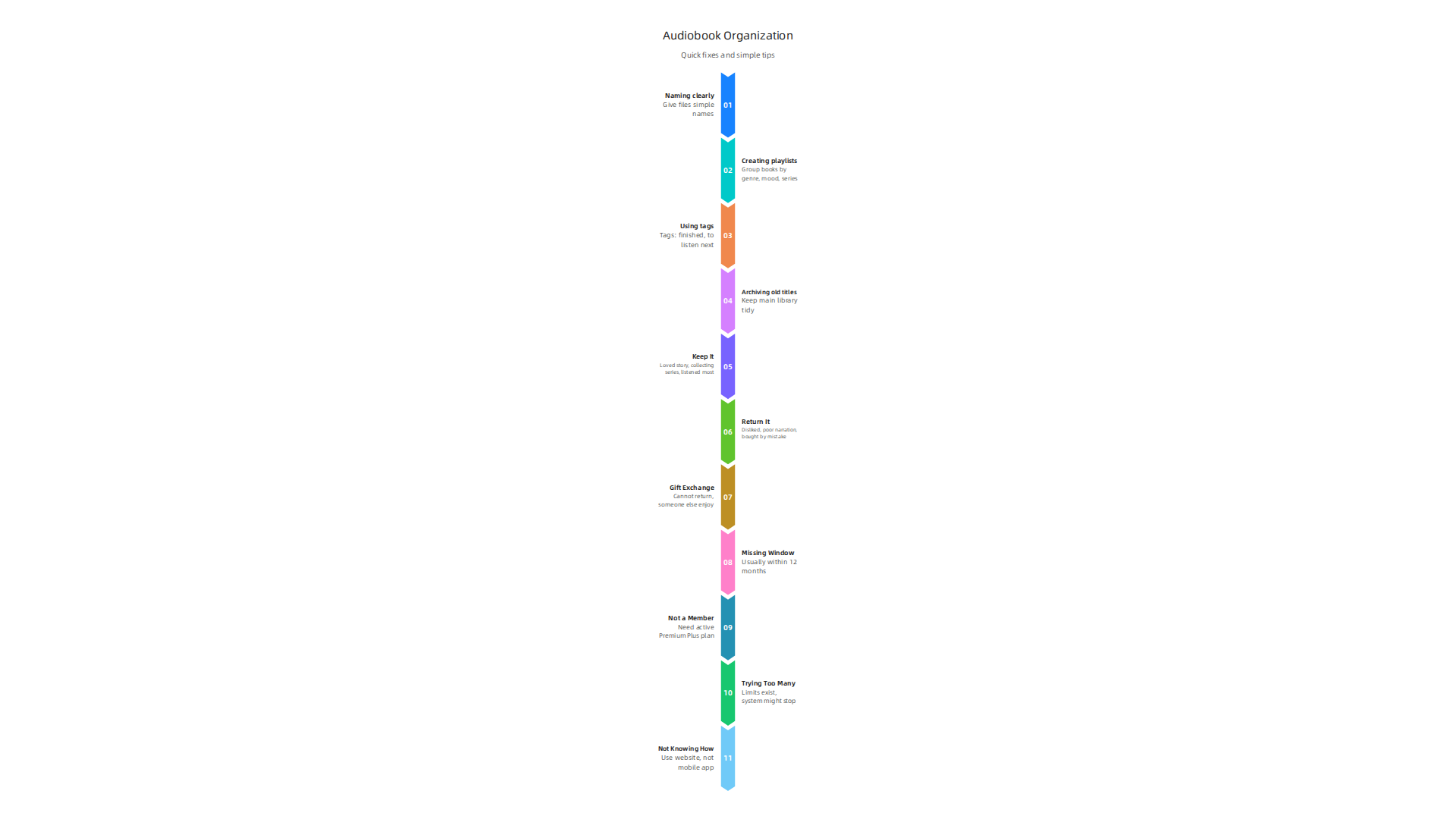
- Naming things clearly: Give your audiobook files simple names. You could use "Author Name – Book Title."
- Creating playlists: Group books by genre, mood, or series. For example, make a playlist for "Cozy Mysteries" or "Books for Road Trips."
- Using tags: Many apps let you add tags like "finished," "to listen next," or "funny."
- Archiving old titles: If you’re done with a book or just don’t want to see it right now, archive it to keep your main library tidy.
These quick changes can make a big difference in how you feel about your digital library. Being organized helps you find the right story faster and enjoy your listening time more. For more tips, check out the Best Ways to Organize and Store Your Audiobook Library.
If you’ve ever found yourself with an audiobook you don’t want or need, you’re not alone. Maybe you accidentally picked up Harry Potter and the Philosopher's Stone book when you already owned it, or a story just wasn’t for you.
Luckily, knowing how to return Audible book titles is quite simple. This guide will walk you through the steps.
How to return an Audible book (step-by-step)
Returning an audiobook, especially on platforms like Audible, can often get you back your credit or money. Here’s a clear way to do it:
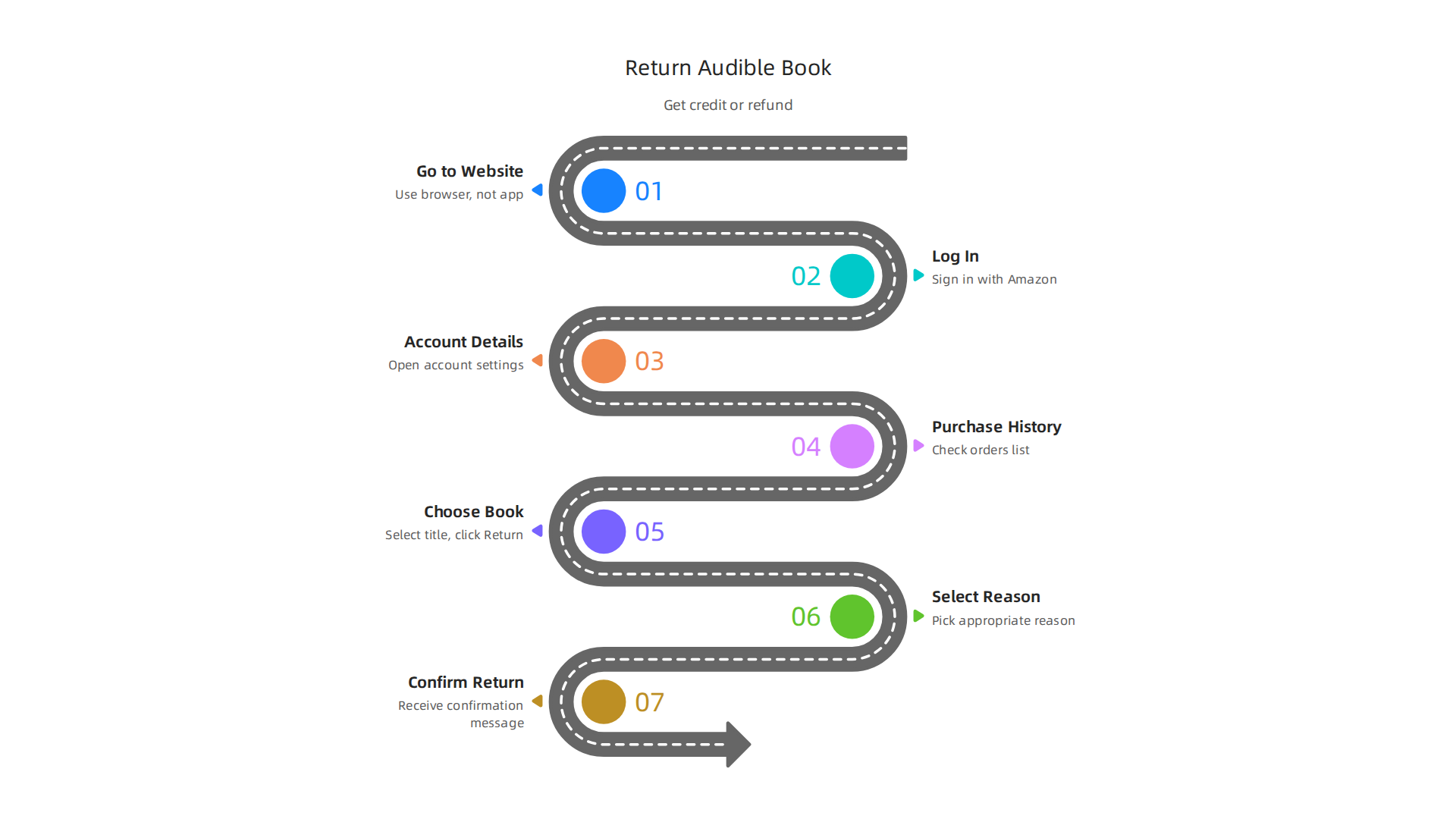
1. Go to the Audible Website, Not the App
This is very important. You cannot return books directly through the Audible app. You need to use a web browser on your computer or phone and go to the Audible website.
2. Log In to Your Account
Once on the website, sign in using your Amazon account details.
3. Find Your Account Details
Look for your name or "Hello, [Your Name]" at the top of the page. Click on it, and a menu will pop up. From this menu, select "Account Details."
4. Go to Your Purchase History
On the Account Details page, look for a menu on the left side. Click on "Purchase History." This page shows all the audiobooks you’ve bought.
5. Choose the Book to Return
Find the audiobook you want to return in your list. Next to the book title, you should see an option like "Return" or "Return Title" or "Exchange." Click on it. Many members can return a title within 365 days of buying it for a credit back, as long as it meets the rules Return a title.
6. Select a Reason for Return
The system will ask you why you want to return the book. Choose the reason that best fits. This helps the platform understand user choices.
7. Confirm Your Return
After picking a reason, confirm your choice. You should get a message saying the return was successful. If you paid with a credit, you’ll usually get a credit back. If you paid with money, you might get a refund to your original payment method.
What to Expect After Your Return
- Credits: If you used an Audible credit to buy the book, the credit should show up in your account right away. You can then use this credit for another audiobook.
- Money Refunds: If you paid with money, it might take a few business days for the refund to show up on your bank statement.
- Limits: Keep in mind that platforms like Audible do have some rules. For example, you might not be able to return a book if you’ve listened to most of it, or if you make too many returns. Some services also have time limits, like Spotify’s policy which generally allows refunds if payment was made in the last 7 days and less than 50% of the book was listened to Audiobook refund policy.
If Your Return Doesn’t Work
Sometimes, a return might not go through easily. Don’t worry, here’s what you can do:
- Check Policies: Read the return policy for your specific audiobook service. They usually explain what you can and cannot return.
- Contact Customer Service: If you have trouble, reach out to the customer support team for your audiobook platform. They can help you with your specific case. Be ready to give them your account details and the title of the book.
- Keep Records: Always keep your purchase receipts or screenshots of your purchase history. These can be helpful if you need to talk to customer service.
Taking action and sorting out your audiobook library can feel like a small win. It makes your digital space tidier and more enjoyable.
For those interested in exploring different ways to consume audiobooks and managing subscriptions, understanding all your options is key. To learn more about various membership plans and how they compare, you might want to read about Audible book subscription your 2026 guide to credits free books and top alternatives.
It’s a great feeling to take control of your digital belongings. If you’re looking for other ways to take action and try something new in a fun, shared way, there are many avenues to explore.
Knowing how to return an Audible book is just the first step. It’s also super helpful to understand the rules behind returns and refunds.

Every service, like Audible, has its own set of guidelines to make sure things are fair for everyone.
How Refunds and Credits Work
When you return an audiobook on Audible, you’ll usually get your money or credit back. How you paid for the book changes what you get back:
- Credits: If you used one of your monthly membership credits to buy the book, that credit will usually go right back into your account. This means you can pick out another audiobook right away, essentially an exchange.
- Money: If you bought the book with actual money, not a credit, then the money refund will go back to the payment method you used. This might take a few business days to show up on your bank or credit card statement.
Remember, the goal is often to let you exchange a book you didn’t like for one you will, making sure you get good value from your membership.
Return Windows and Limits
Audible has a generous policy that lets most members return a title within 365 days of buying it. This is a big window, but it’s not endless. There are some important things to keep in mind:
- Listening Time: You might not be able to return a book if you’ve listened to too much of it. The system tries to prevent people from finishing a book and then returning it for free.
- Frequent Returns: If you return too many books, Audible might notice. Platforms have ways to keep their return policies from being used unfairly. They want to make sure the system works for everyone without being abused.
- Digital Content Rules: Returning digital items like audiobooks can be different from returning a physical item. Digital goods can’t be "unused" in the same way a physical book can be. Because of this, companies set policies to protect their content and business. Consumer protection for online markets means companies need clear rules for digital products to protect both buyers and sellers Consumer protection for online markets and large digital ….
When to Talk to Customer Service
Sometimes, a return doesn’t fit neatly into the usual rules. Maybe it’s a special situation or a very old purchase. If you can’t return a book through the normal online steps, don’t worry. This is when customer service can help. They can look at your specific case and sometimes make an exception or offer a different solution. Think of them as your backup plan for those trickier returns.
Understanding these policies helps you use your Audible membership wisely. It ensures you can enjoy your audiobooks without stress, knowing you have options if a story isn’t quite right for you. If you’re interested in exploring other ways to get digital books, including free options, there are many resources out there. You can learn more about finding top platforms and apps for free books to read online in 2026.
It’s all about making your reading and listening life as enjoyable and smooth as possible.
Ready to get more insights, updates, and unique content? Join The Newsletter for direct access to what’s new.
To truly make your reading and listening life enjoyable, having a good system for your audiobooks is key. It’s not just about how to return an Audible book; it’s also about how you choose them, keep them, or send them back in a smart way. For a complete guide to managing your subscription and finding alternatives, you can always check out an Audible book subscription guide. Let’s look at some easy steps to manage your audiobook collection like a pro.
Triage Your New Purchases: A Simple Workflow
When you get a new audiobook, it’s a good idea to have a quick routine to decide if it’s a keeper.
- Listen to a Sample First: Before you use a credit or spend money, always listen to a few minutes of the book. This lets you check the narrator’s voice and the story’s style. Sometimes, the sample tells you right away if the book isn’t for you. This simple step can save you a return later.
- Decide Quickly: Don’t let new books sit unheard for too long. Give them a quick listen after buying them. If you’re not drawn in, it’s okay to make a decision.
- Keep or Return: If you love it, great! Add it to your "to listen" pile. If it’s not a fit, go ahead and return an Audible book through your account. Remember, you usually have a year to do this if you haven’t listened to too much.
- Log Your Reason (Optional but Helpful): If you return a book, quickly note why. Was the narrator boring? Was the story not what you expected? This helps you learn what you like and dislike, making future choices easier.
Build an Organized Audiobook Library
As a bookworm online, your digital library can grow quickly, much like a physical one. Keeping it organized helps you find your next great listen, whether it’s a thrilling mystery or a classic like Harry Potter and the Philosopher’s Stone.
- Regular Library Audits: Just like cleaning your home, it’s good to check your audiobook library every few months. Go through titles you’ve finished, ones you didn’t like, and those you haven’t touched. This helps you keep things fresh.
- Use Tags and Categories: Most audiobook platforms let you add tags or sort books into categories. You can tag by genre (fantasy, sci-fi), author, series, or even mood (relaxing, exciting). Some apps also help you keep track of your digital collection in a smart way, as explored in How To Store Audiobooks and E-Books The Smart Way. For a very large collection, using folders by author and then by series can keep things neat, according to tips on how to best organize a large audiobook library.
- Create Playlists or Folders: If your platform allows, make playlists for different activities, like "Workout Reads" or "Bedtime Stories." For books you own outside of a main app, using folders on your computer or device by genre or author is a simple way to keep them tidy, as suggested in Best Ways to Organize and Store Your Audiobook Library. Some readers even use special apps to manage their whole library of ebooks and audiobooks across different platforms, as discussed in How to manage personal libraries of ebooks, audiobooks …. If you are looking for new ways to organize your digital reads, consider how a bookshelf app can help.
Decision Tree: Keep, Return, or Exchange?
Sometimes, deciding what to do with an audiobook isn’t clear-cut. Use this simple guide:
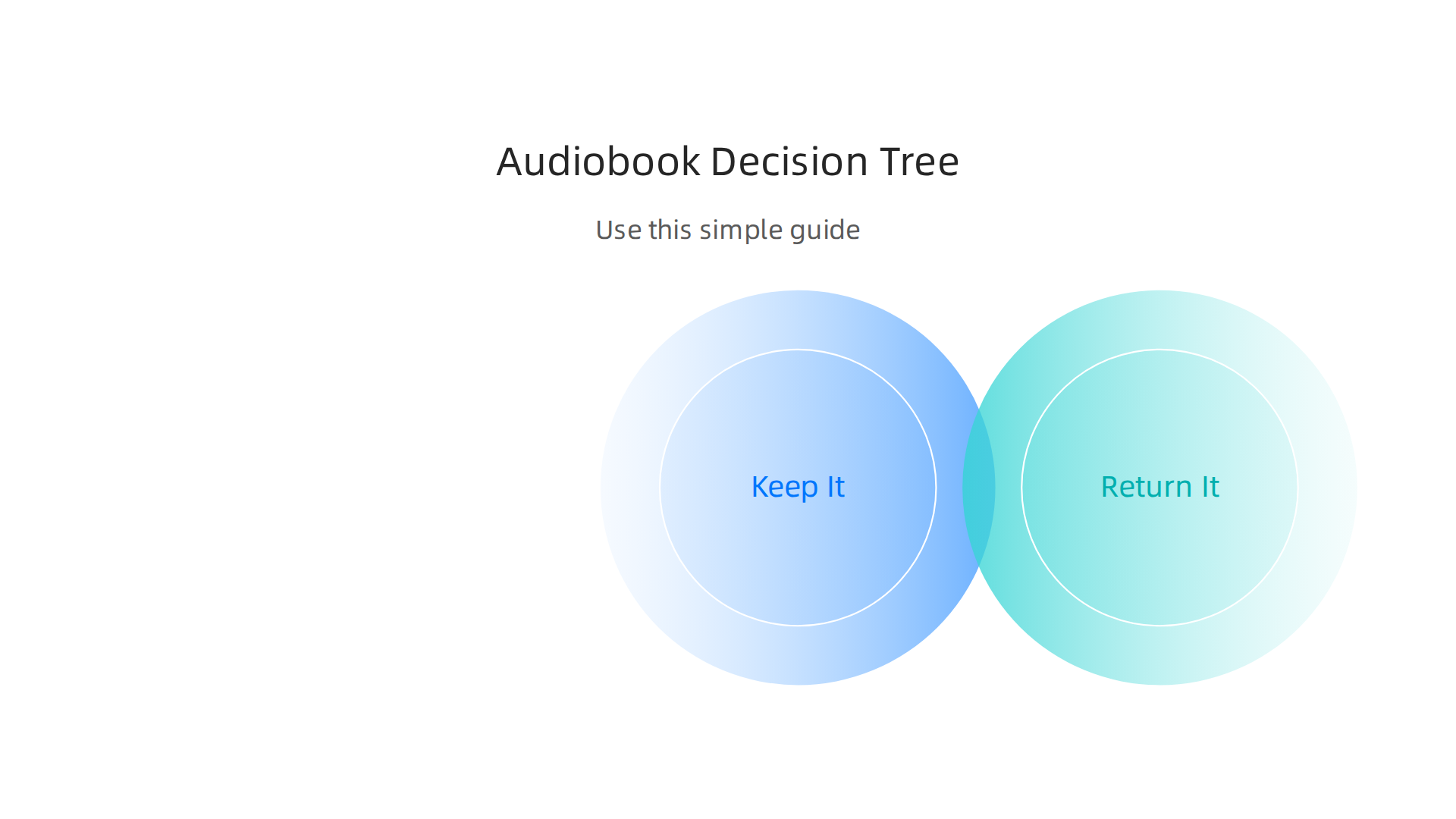
- Keep It:
- You loved the story and plan to listen again.
- It’s part of a series you’re collecting.
- You’ve listened to most of it and can’t return it anymore.
- Return It:
- You started it but didn’t like it, and you’re within the 365-day return window.
- The narration wasn’t good, or the quality was poor.
- You bought it by mistake.
- Remember that returning too many books might lead to Audible pausing your self-return option, so use it fairly, as noted in a discussion about Audible return limits.
- Gift or Exchange It:
- If you can’t return a book but think someone else would enjoy it, you might be able to gift it. This isn’t always an option for all platforms or titles, but it’s worth checking.
- If you’re a member of a different service or looking for new reads, there are many ways to find free epub books and other digital titles, which can feel like an exchange for a book you didn’t enjoy.
By having a clear process for your audiobooks, you can make sure your library always feels useful and inspiring. It helps turn passive listening into an active, enjoyable part of your day, guiding you towards a deeper reading experience.
If you enjoy turning your ideas into actions and love finding new ways to engage with stories and communities, why not Join An Experiment? It’s a great way to participate in something new and exciting.
Managing your audiobooks well means knowing how to use all the helpful features in your apps and even some outside tools.

This makes sure you can always find your next favorite story, whether it’s a fantasy adventure like Harry Potter and the Philosopher’s Stone or a gripping mystery.
Tools, Settings, and Integrations to Optimize Your Audiobook Library
Your audiobook apps often come with built-in helpers. Learning to use them makes a big difference.
Use Built-in Features for Easy Organizing
Most audiobook platforms want to help you keep things neat. They have features that can make finding books simple.
- Sorting and Filters: Look for ways to sort your books. You can often sort by author, title, or when you bought them. Filters let you see only certain kinds of books, like "Fantasy" or "Unread." These help you quickly narrow down your choices.
- Collections or Playlists: Many apps let you make special groups called collections or playlists. You can make one for "Books to Listen To Next," "Favorites," or even "Books for Road Trips." This is like having different shelves for different types of books in a physical library. YouTube has a helpful video on how to Keep Your Kindle Library Organized and Efficient, which shows similar ideas for organizing digital reads.
- Wishlists: Don’t buy every book right away. Use a wishlist to save titles you want to check out later. This keeps your main library from getting too full and helps you decide what’s really worth a credit or purchase.
Third-Party Tools and Smart Strategies
Sometimes, the apps themselves aren’t enough, especially if you’re a big bookworm online with many titles. That’s when other tools can help.
- Spreadsheets or Note Apps: For a very detailed list, some people use simple spreadsheets or note-taking apps. Here, you can track things like book title, author, genre, how long it is, and even your thoughts on the narration. This is like creating your own personal card catalog for your digital books. Using folders for different genres or authors and naming your files clearly can make searching much faster, according to advice on the Best Ways to Organize and Store Your Audiobook Library.
- Metadata Management: Metadata is all the hidden information about your audiobook, like its cover art, author, and chapter names. Some advanced listeners use special software to make sure this information is perfect, which helps organize their collection outside of the main app. For instance, setting up a clear directory structure like Author/Series/Title/Audiobook Files can greatly help manage a large audiobook library.
- Community and Shared Libraries: If you’re part of a reading community, you might share or exchange books. Some online groups and tools help you manage these shared libraries, making it easy to see what your friends are reading or what free epub books are available. People in Facebook groups often share how to manage personal libraries of ebooks, audiobooks by using various apps or Goodreads shelves.
Privacy and Account Settings
Keeping your account safe and tidy is just as important as organizing your books.
- Secure Purchases: Always use strong passwords and two-factor authentication if your app offers it. This helps protect your account from unwanted buys.
- Manage Family or Shared Libraries: If you share an account with family, check the settings for family sharing options. This can help prevent accidental purchases or make sure everyone has access to the right books.
- Prevent Accidental Buys: Look for settings that ask for a password before making a purchase. This can stop you or someone else from buying a book by mistake. If you do accidentally buy one, you might still be able to return an Audible book if it’s within the return period and you haven’t listened to too much.
By using these tools and settings, you can enjoy a smoother, more organized audiobook experience. You’ll spend less time looking for books and more time listening to stories that make you laugh, think, or inspire you to take action.
To get more tips on engaging with books, discover new authors, and find unique opportunities to participate in creative projects, consider signing up for updates. Join The Newsletter for ongoing insights and community news.
Best practices, common mistakes to avoid, and when to contact support
Even with the best tools, sometimes things go wrong. Knowing how to handle common problems like an accidental purchase can save you worry and your hard-earned credits. Learning the best ways to manage your books means you’ll spend more time enjoying stories and less time fixing mistakes.
Smart Ways to Avoid Buying the Wrong Book
It’s easy to get excited and buy a book that isn’t quite right. Here are some simple steps to make sure every purchase is a good one:
- Listen to Samples: Before you buy, always listen to a sample of the audiobook. This lets you hear the narrator’s voice and decide if it’s a good fit. The voice actor can really make or break a story, even if the book itself is great.
- Read Reviews: Check out what other listeners think. Reviews often share important details about the story or narration that you might miss otherwise.
- Set Up Purchase Confirmations: Most apps, like Audible, let you set up a password or PIN for purchases. This extra step stops accidental buys, especially if family members also use your account. This can prevent unwanted surprises.
- Know Your Credits: Keep track of how many credits you have and when they expire. Using a credit on a book you don’t love is a waste. Sometimes it’s better to save a credit for a highly anticipated title or a longer listen. If you want to learn more about managing your account, you can find a helpful guide on your Audible book subscription.
Common Mistakes When You Need to Return an Audible Book
You can often return an audiobook if you don’t like it or bought it by mistake. However, there are some common slip-ups people make:
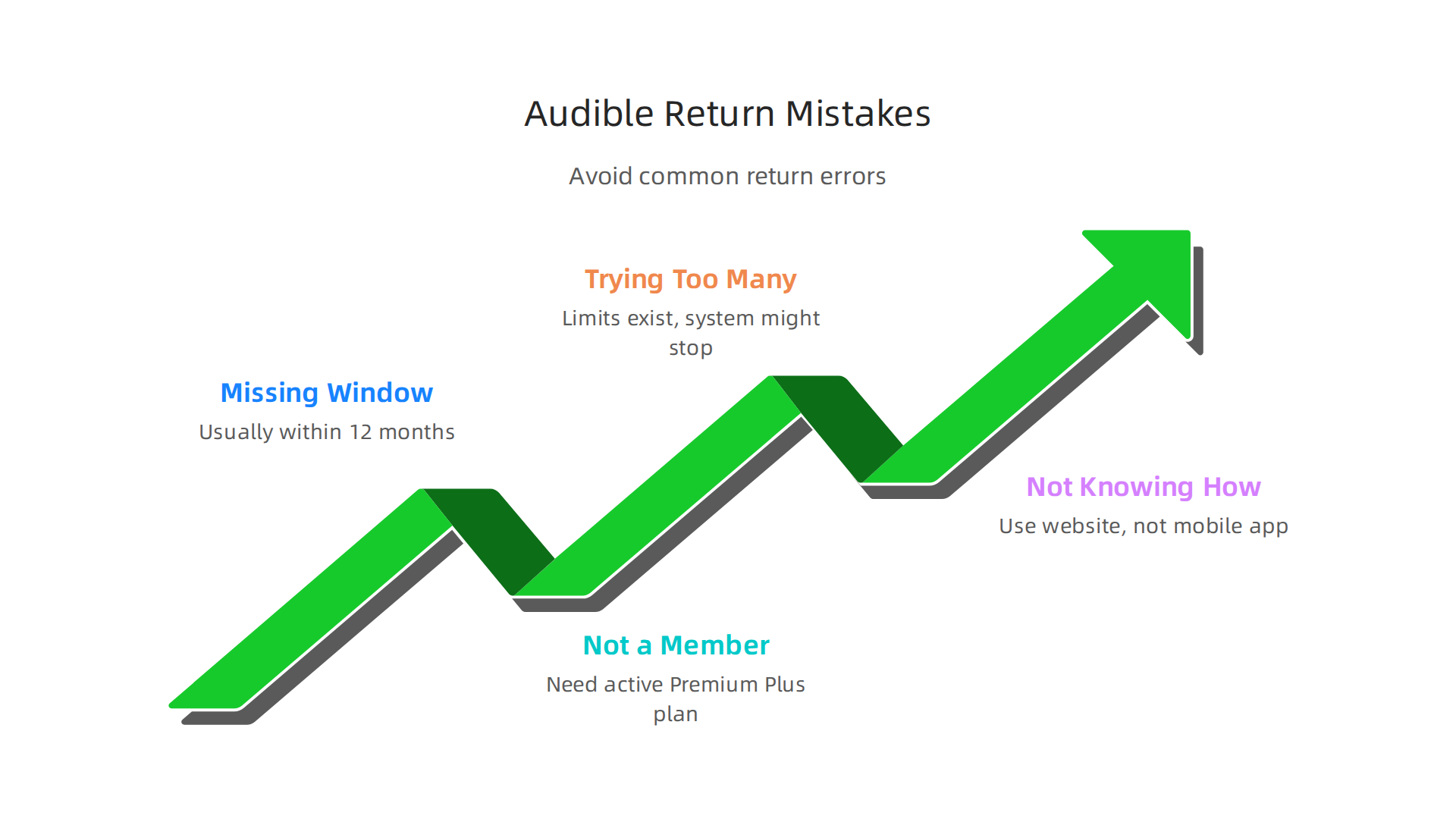
- Missing the Return Window: Platforms like Audible have rules about when you can return a book. You usually have a certain amount of time, often within 12 months, and you can only return a limited number of titles without contacting customer service directly. It’s best to check the return rules on the Audible website to be sure.
- Not Being a Member: To return an Audible book for credit, you typically need to be an active member of their Premium Plus plan. If your membership isn’t active, you might not be able to return books easily through the usual online tools. This is a common reason why Audible might not let you return books, as noted by some experts on why Audible won’t let you return books.
- Trying to Return Too Many Books: While it’s great to have the option to return, most platforms have limits. If you return too many books in a short time, the system might stop you from making returns online. For example, some users have found that after about three returns in a 3-to-6-month period, the online return option pauses. In such cases, you will need to contact Audible customer service for help.
- Not Knowing How to Return: The process to return an Audible book is pretty simple once you know it. You usually go to your account details on the website (not always through the mobile app) and look for your purchase history. From there, you can select the book and choose to return it. Many guides show you how to return an Audible book step by step.
When to Get Help from Customer Support
Sometimes, you can’t fix a problem on your own. Here’s when it’s smart to reach out to customer support:
- You Can’t Return Online: If the option to return an Audible book isn’t showing up in your purchase history, or if you’ve already returned several books recently, customer support can usually help you. They can manually process returns that the online system might block.
- Unknown Charges: If you see a charge on your bank statement that you don’t recognize from Audible, contact their customer service right away. They can help you investigate and resolve the issue. It’s helpful to have the 9-digit code from the charge ready when you call, according to Audible’s Contact Customer Service page.
- Technical Issues: For any problems with the app, downloading books, or playback, customer support is the best place to get help.
- Purchases with Different Methods: If you bought a book through a different store, like Google Play, you’ll need to return it through that store’s customer service, not directly through Audible, as explained in their article on returning a title.
By understanding these practices and knowing when to ask for help, you can make your audiobook listening even better.
If you enjoy solving problems and turning insights into action, you might enjoy our community. Join An Experiment and start creating, sharing discoveries, and connecting meaningfully with others.
Summary
This article shows how to take control of a messy digital audiobook collection by explaining how to return Audible purchases and organize what you keep. It covers a clear, web-based step‑by‑step return process, the difference between refunds and credits, common return windows and limits, and practical rules of thumb to avoid accidental buys. You’ll also find fast organization tips—naming, playlists, tags, archiving—plus a simple decision flow for whether to keep, return, or gift a title. The guide explains when the Audible app won’t work for returns, when to contact customer support, and which settings or third‑party tools can streamline a large library. After reading, you’ll know how to reclaim credits or money, tidy your shelves, and set routines that prevent future clutter.