Introduction: Why creators need the right website tools
Many creative people want to share their work online.

They might be artists, writers, or folks who teach new skills. But it can be hard to show your stuff, get people to see it, and even make money from it. It feels like a big puzzle to build a good online home, attract visitors, and keep everything running well. This often causes creators to feel worried about the tech stuff, making it tough to build their online presence, get people to truly enjoy what they do, and earn a living from their passion.
Luckily, in 2026, there are many smart website tools that make this much easier. These tools help you with everything: hosting your site, designing it, and even seeing how many people visit. Imagine using something like the Hostinger AI Website Builder.
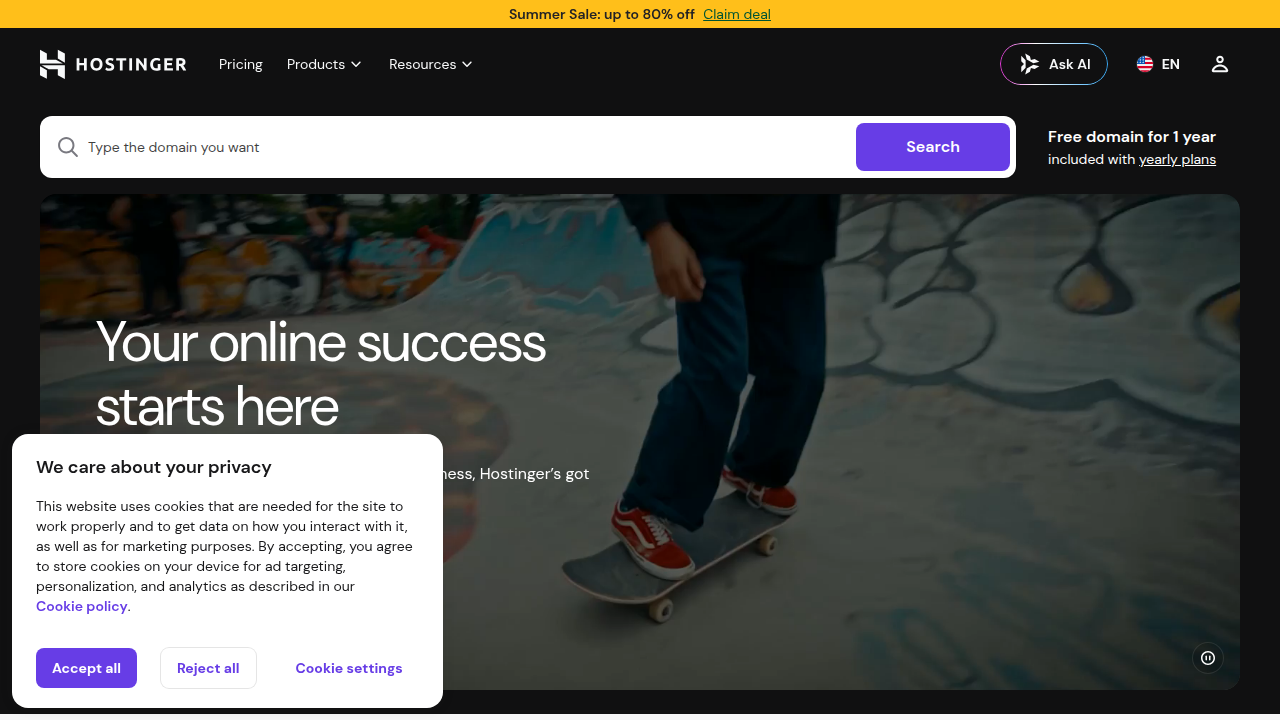
It can help you make a truly impressive, or what some might call a godly website, very fast. This is true even if you’ve never built a site before! Or, you might want to create a stunning Wix website portfolio to show off your art or writing.
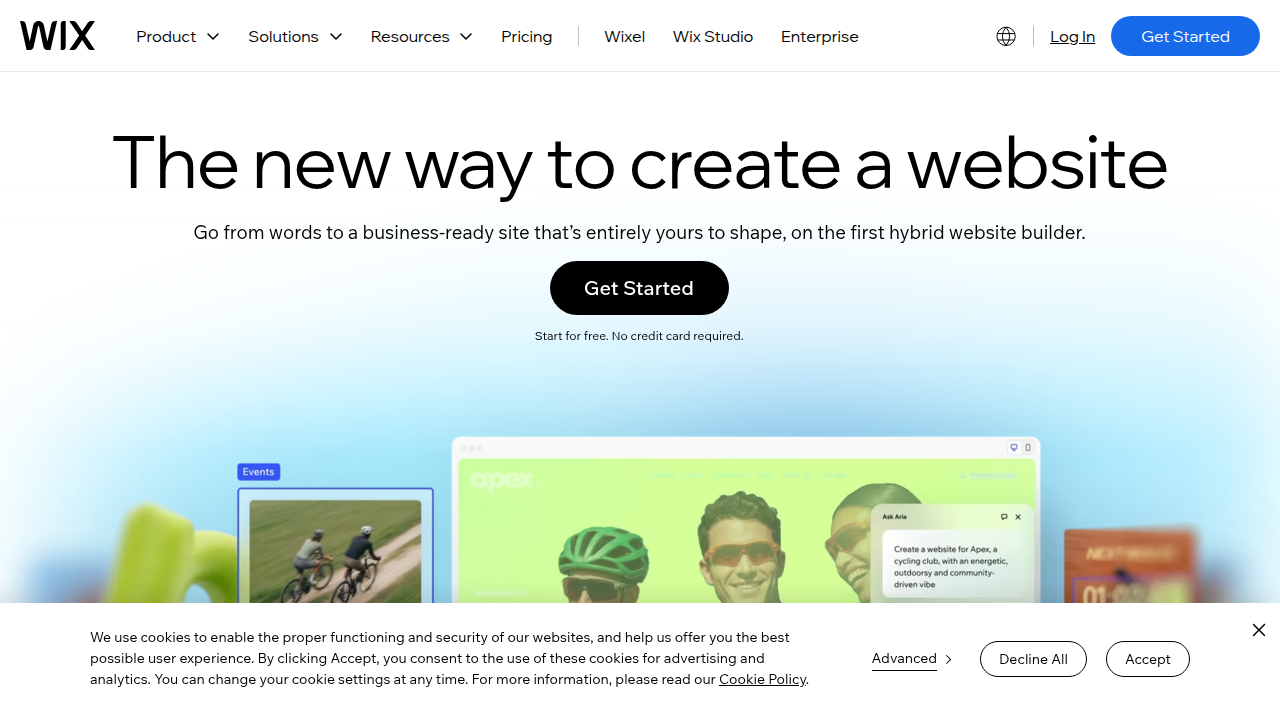
The right tools help you skip the hard parts of setting up a website. They use smart features, often powered by AI, to handle the design, manage your content, and help you understand your audience better. This means you get to spend more time creating and less time worrying about computers. Actually, finding the Best Tools for Creators in 2026 is key to your success. If you’re looking to keep your creative projects organized, learning about best task management apps 2026 for focus and productivity can also be very helpful.
These powerful tools take away the fuss, so you can focus on what you do best: creating. They help you connect with people and grow your audience without the usual tech headaches.
Do you want to stay in the loop with the latest creator tips, book updates, and fun experiments? Join The Newsletter to get ongoing updates and participate in our growing community.
The journey to a successful online presence for creators means knowing what tools you need.

It’s like building a house; you don’t just grab any hammer. You need different tools for different jobs. In 2026, the world of website tools can feel huge, so let’s break it down into easy-to-understand groups.
Essential Website Tool Categories
To build a godly website that truly helps your creative work shine, think about these main types of tools:
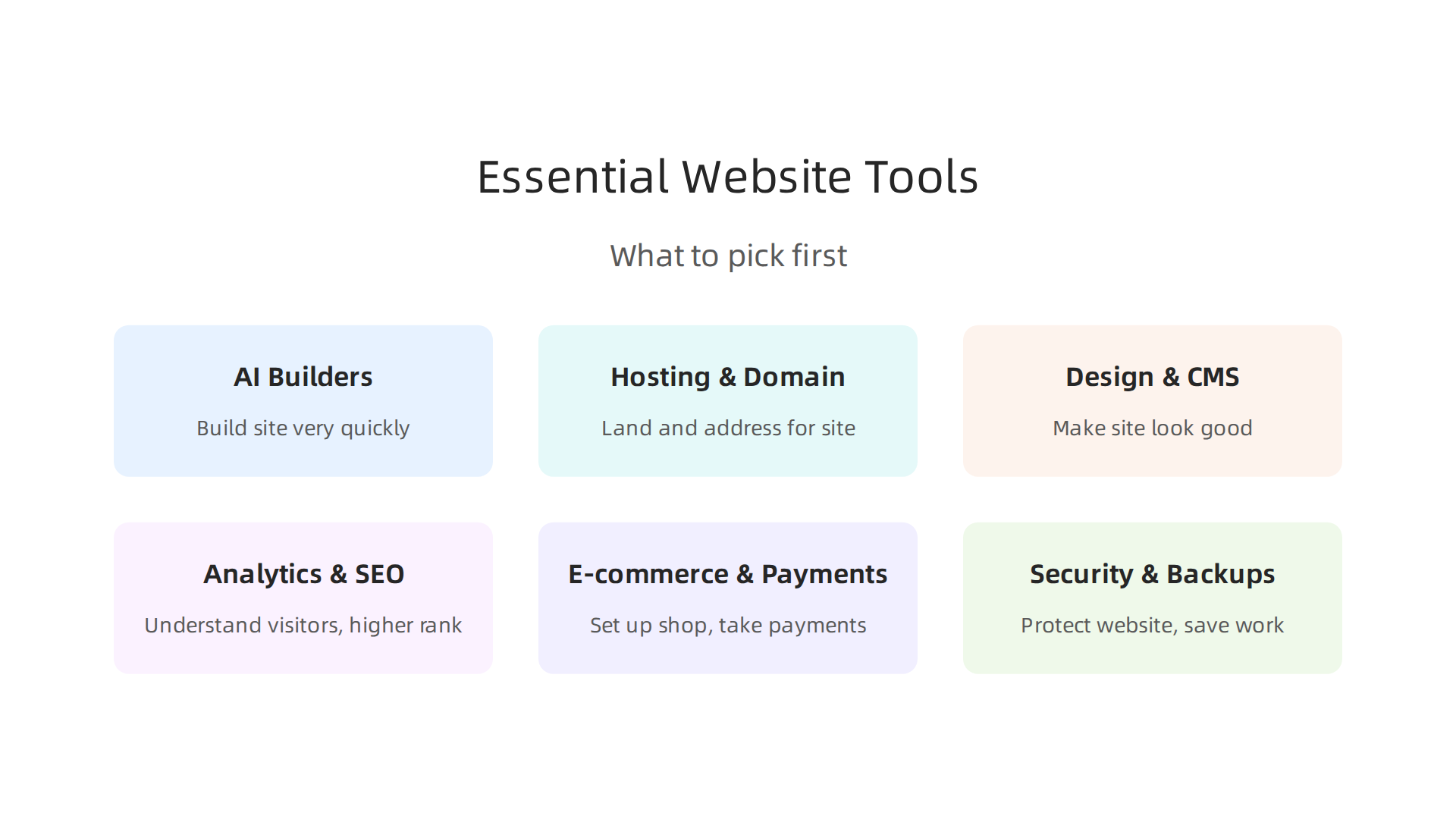
- AI Website Builders: These are super smart tools that can build a website for you very quickly. You just tell them what you want, and they make a first draft. For example, some AI website builders can generate layouts and content from simple ideas, saving you a lot of time Website Builders Compared (2026): A Decision Framework. If you’re looking for recommendations, there are many comparisons available for the Best AI Website Builder 2026.
- Hosting and Domain: This is like buying land for your house (hosting) and giving it an address (your domain name, like "yourname.com"). You need this so people can find your website on the internet.
- Website Design and Content Management (CMS): These tools help you make your website look good and let you easily add or change your words, pictures, and videos. Think of tools like Wix, Squarespace, or WordPress.
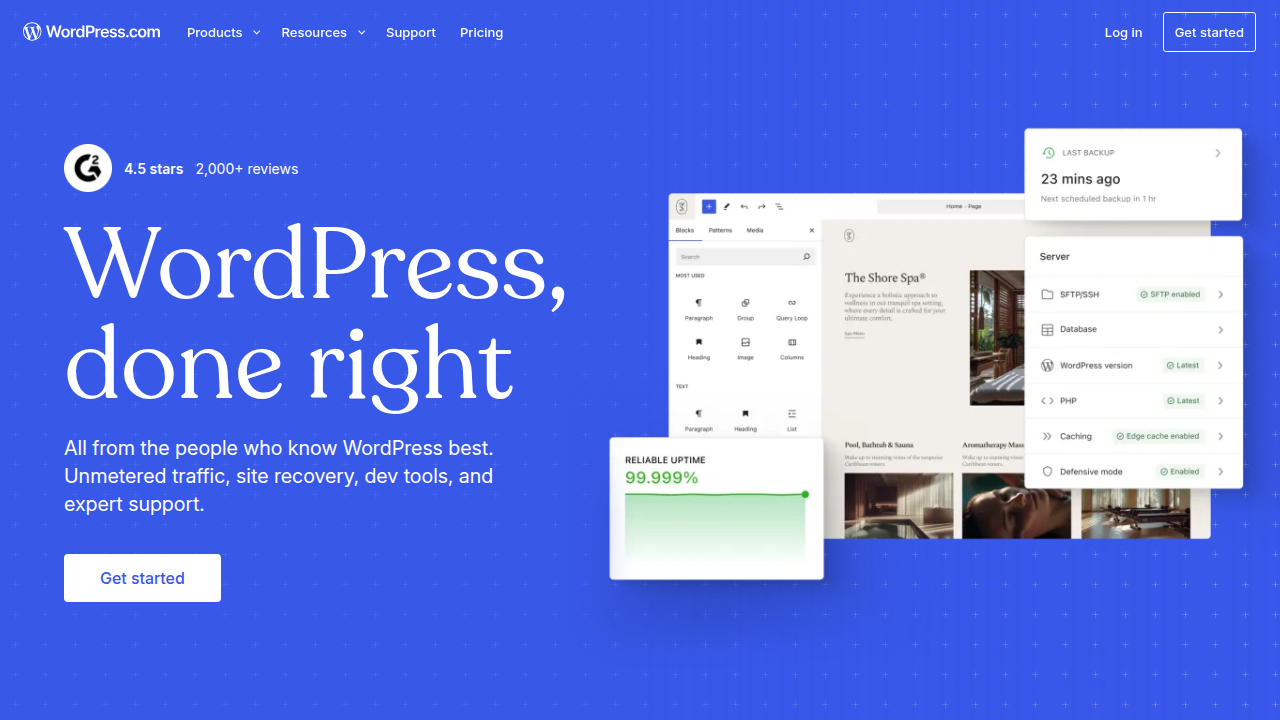
They help you create a professional look, whether it’s for a simple blog or a complex online store. Building a strong Master book clipart for eye-catching covers and interiors can be a good early step for creators focused on visual content.
- Analytics and SEO Tools: These tools help you understand who visits your site and how they found you. SEO (Search Engine Optimization) tools help your website show up higher in search results, so more people can discover your work.
- E-commerce and Payments: If you want to sell your art, books, or services online, you’ll need tools that let you set up a shop and take payments safely.
- Security and Backups: These are like locks for your house and keeping copies of important papers. They protect your website from bad things and make sure you don’t lose all your hard work.
Picking What You Need First
When you’re a creator with limited time or money, it’s wise to start simple. Think about building a Minimum Viable Product (MVP) for your website. This means you only build the most important parts first.
- Start with an AI Website Builder or a simple CMS: If you just need a place to show your work, an easy AI website builder or a basic platform like Wix can get you online fast. These platforms often include hosting and design tools all in one, which is perfect for a start.
- Focus on your main goal: Are you showing off a portfolio? Selling something? Or just sharing ideas? Your main goal tells you what tools are most important. For example, a writer might need a simple blog, while an artist needs a great image gallery.
- Add more tools as you grow: Once your basic website is up and running, and you see what your audience needs, you can slowly add more tools. Maybe you’ll add advanced analytics later, or a full e-commerce system if your sales grow. This way, you don’t get overwhelmed and only pay for what you truly need at each step. This approach helps you tackle one important area at a time without feeling stuck, as recommended for building a The Complete Creator Tool Stack for 2026.
For instance, if your main goal is to showcase your visual creations, a tool that lets you build a beautiful visual showman app like experience quickly would be your top priority. You can always add other functions later, like fancy marketing tools or a way to sell prints.
Moving from the general idea of website tools, let’s look closely at a popular choice for many creators today: the Hostinger AI Website Builder. This tool is often talked about because it lets you get online fast.
What Creators Can Build with Hostinger AI Website Builder
The Hostinger AI Website Builder is a great starting point, especially if you want to launch a website quickly without needing to know a lot about coding or design. Here’s what you can expect:
- Speed and Easy Start: One of the biggest perks of a tool like the Hostinger AI Website Builder is how fast you can make a website. You just answer a few questions about your project or what you do, and the AI will create a first draft of your site. This is perfect for busy creators who want to spend more time making art or writing, and less time building web pages.

Many of the best AI website makers in 2026 are known for this speed.
- Ready-Made Templates: Hostinger provides many templates, which are like pre-designed layouts. You can pick one that fits your style and then just drop in your own words and pictures. This helps create a professional-looking site quickly, whether it’s for a portfolio or a simple blog. AI tools are expected to generate over 21 million websites by 2026, many from templates or prompts 10 Best AI Website Generators in 2026.
- AI Content Helper: The builder can also help write basic text for your pages. This "AI content scaffolding" means it can suggest headlines, descriptions, or even whole paragraphs based on what you tell it. This can save you time when you’re not sure how to start writing for your site. This can make building a simple yet effective "godly website" much easier.
For a creator who needs a basic online home quickly, perhaps to set up a quick wix website portfolio or a simple landing page, the Hostinger AI Website Builder is a strong choice. It helps you show off your work without much fuss, almost like having a simple showman app for your projects.
Limitations to Watch Out For
While powerful, the Hostinger AI Website Builder isn’t perfect for every situation. You might hit some limits as your creative work grows:
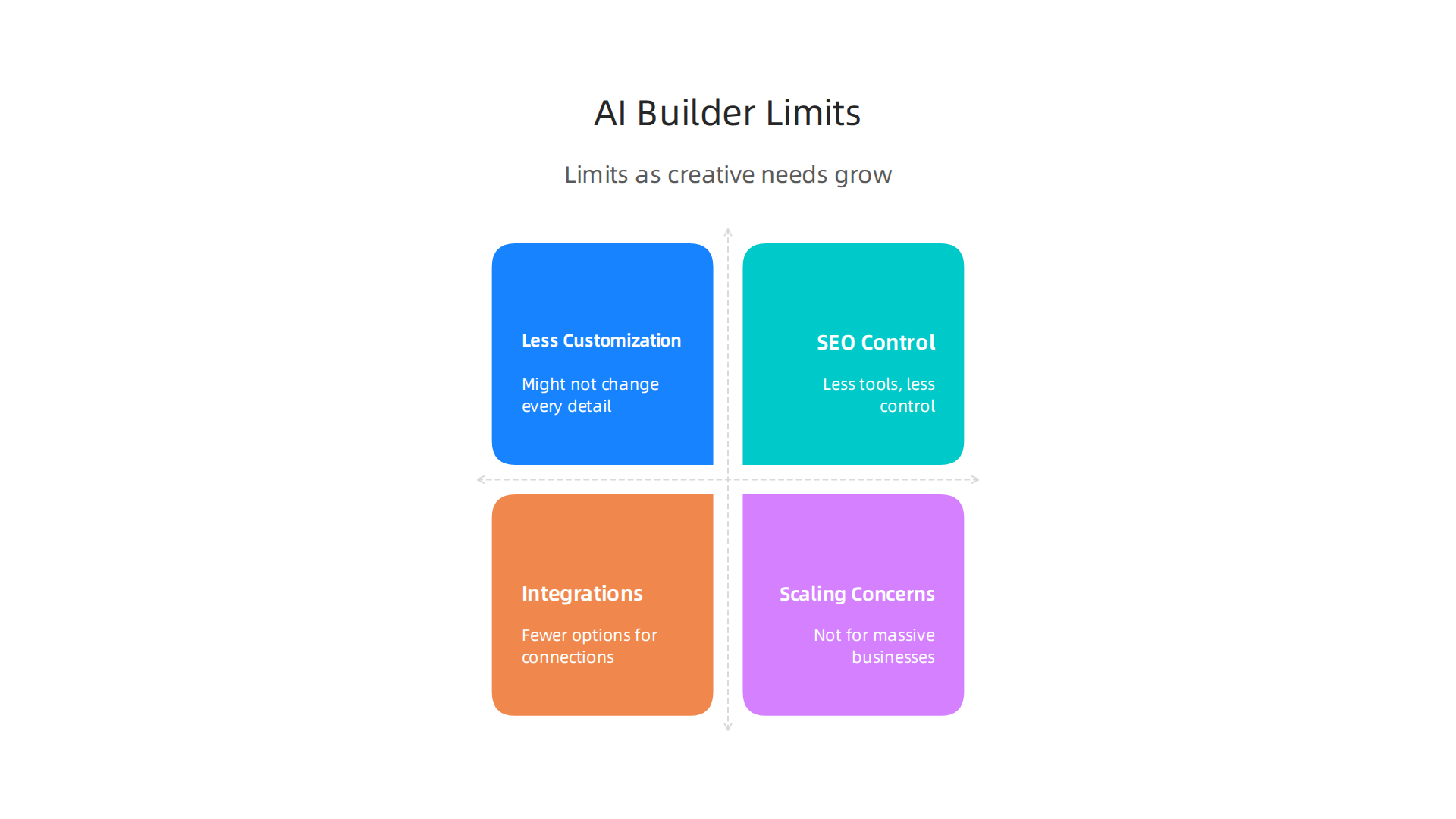
- Less Customization: Because it’s so easy to use, Hostinger’s AI builder might not let you change every tiny detail of your website’s look. If you have a very specific design in mind or want something truly unique, you might find it hard to get exactly what you want. You might need more advanced tools if you want to master every visual aspect, like using a powerful Snapseed photo editor app for images.
- SEO Control: For new creators, basic SEO (making your site easy to find on Google) is usually enough. But if you want to do very advanced SEO to rank high for specific keywords, you might find other platforms offer more tools and control.
- Integrations: Sometimes, you need your website to connect with other special tools, like a specific email marketing service or a complex booking system. AI builders might have fewer options for these deeper connections compared to more complex platforms.
- Scaling Concerns: If your website becomes very large with thousands of pages, or if you need to run a very big online store, a simple AI website builder might not be the best long-term solution. It can be harder to grow these sites into massive online businesses.
For many creators just starting, the good points of an AI builder often outweigh these limits. It’s about finding the right tool for where you are right now.
If you’re ready to try building something yourself, even a small first step, remember that taking action can be the most rewarding part of the journey. Why not give it a shot?
While tools like the Hostinger AI Website Builder make setting up a website easier, it’s also important to understand the basics of where your website lives online and its address. This is where domains and hosting come in. Choosing the right setup means your creative work is always available, fast, and secure for your audience.
How to Evaluate Hosting for Your Creative Needs
Think of web hosting as the home for your website. It’s the server that stores all your website’s files and makes them available to people around the world. When picking a host, here’s what to look for:
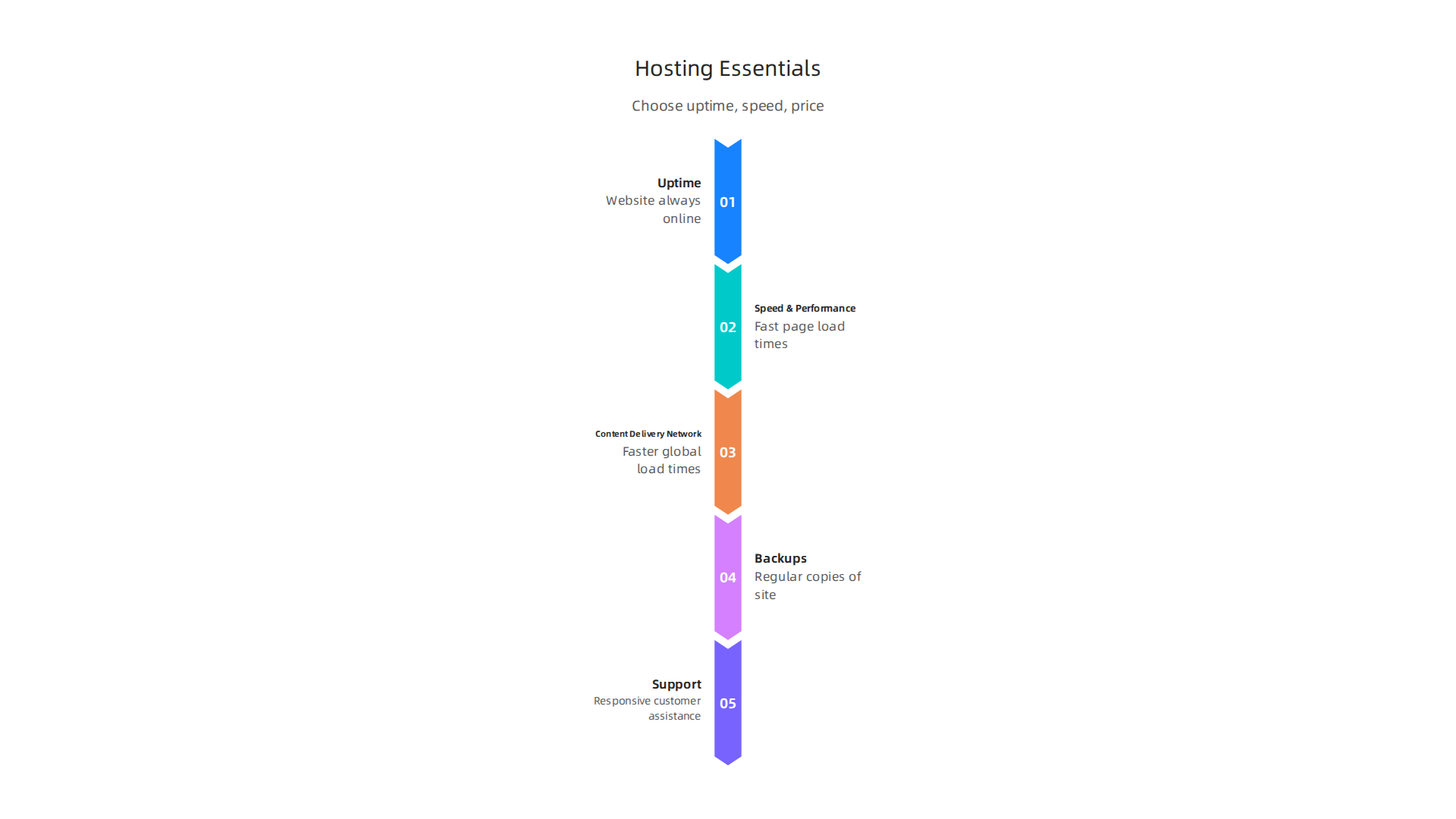
- Uptime: This is how much time your website is actually online and working. If your site is down, no one can see your work, which can be frustrating for both you and your audience. Many hosts promise 99.9% uptime, but even that can mean your site is offline for several hours a year 70+ Web Hosting Statistics of 2026 Everyone Should Know. For creators, consistent uptime means your portfolio or online shop is always open.
- Speed and Performance: How fast your website loads matters a lot. People don’t like waiting, and slow sites can make visitors leave. A one-second delay in loading can even reduce sales for online businesses eCommerce Hosting Statistics 2026: Performance, Security, Uptime …. Good hosting helps your pages load quickly, with most top hosts aiming for a "Time To First Byte" (TTFB) under 300 milliseconds for a good global experience Web Hosting Performance Benchmark Guide 2026.
- Content Delivery Network (CDN): A CDN helps your website load faster for people everywhere. It saves copies of your website’s content in many places around the world. So, when someone visits your site, the content comes from a server closest to them, speeding things up.
- Backups: Imagine losing all your blog posts, photos, or project details. Regular backups are a must. A reliable hosting provider will automatically make copies of your website, so if anything goes wrong, you can easily get your
godly websiteback to normal. - Support: As a creator, you might not be a tech expert. Having helpful and quick customer support from your host is super important. They can help you fix problems, answer questions, and make sure your website runs smoothly.
Managing all these aspects, even with an easy-to-use platform like the Hostinger AI Website Builder, still takes some organization. For busy creators, keeping track of tasks can be simplified with the right tools, helping you focus on your art instead of technical issues. You can explore some options to help you stay on top of your game, like finding the best task management apps 2026 for focus and productivity.
Domain Strategy: Your Website’s Address
Your domain name is your website’s unique address on the internet, like yourcreativework.com.
- Branded Domains: Choosing a clear, easy-to-remember domain name that reflects your brand or creative identity is key. It helps people find you and makes your site look professional, whether you’re showcasing a
wix website portfolioor a uniqueshowman app. - Subdomains for Projects: You can use subdomains to organize different parts of your creative work. For example,
blog.yourname.comcould be for your writing, andportfolio.yourname.comfor your visual art. This keeps your main domain clean while allowing you to grow. - Simple DNS Best Practices: DNS stands for Domain Name System. It’s like a phonebook for the internet that translates your domain name into an IP address so computers can find your website. Your hosting provider usually makes it easy to set this up, so you don’t need to worry about the technical details too much. Just make sure it points to the right place.
Picking the right home for your website is just the start. Next, you need to think about how your site will look and how easy it is to manage what you put on it. This is where design and Content Management Systems (CMS) come in.
Templates vs. Custom Design
Website builders like the hostinger ai website builder give you many ready-made templates. These are like pre-built rooms for your online home. They help you get a site up very quickly without needing special coding skills. For creators who want to show off a wix website portfolio or a new showman app, templates can be a fast way to get started. Many top AI website builders, like Wix Harmony, make it easy for non-designers.
But sometimes, you want something truly unique, a godly website that stands out completely. This is when custom design or more flexible tools like WordPress (with AI help) come into play. It takes more time and might mean working with a designer, but it gives you total control over every little detail.
AI Tools Can Speed Up Your Work
In 2026, AI tools are changing how we design and create website content.
- Layouts: AI can quickly create different website layouts based on your ideas. This means you get a draft much faster, saving you time. Over 21 million websites now use tools like Elementor for AI-assisted WordPress creation 10 Best AI Website Generators in 2026.
- Copy: AI can help you write text for your pages, like descriptions for your art or blog posts. It gives you a starting point so you do not have to stare at a blank screen.
- Images: Need a unique image? AI design tools can generate pictures that fit your website’s style. You can even use tools to make hyper-real photos for your portfolio Best Agency Creator Portfolio Tools for 2026 (AI-Powered). If you want to refine those images, learning to use tools like a Snapseed photo editor app can be really helpful.
While AI is amazing, it’s important to use it as a helper, not to let it do everything. Your creative voice and unique style are what make your work special. Use AI to speed up the boring parts so you can spend more time adding your personal touch and making your content truly yours.
Ready to take your creativity to the next level and explore new ways to share your work? Join An Experiment and see how you can turn your ideas into action and connect with others.
After you have put your website together, whether with a simple template or a custom design, the next big step is making sure people can find it. This is where SEO (Search Engine Optimization) and analytics come in. Think of SEO as making your website easy for search engines like Google to understand, and analytics as watching how people use your site. Both are super important for creators in 2026 to get their work seen and understood.
Which Numbers Matter Most for Creators?
It is easy to get lost in a sea of data, but for creators, a few key things really stand out:
- Audience Retention: This tells you if people stay on your site and come back. If visitors leave quickly, it might mean your content is not hooking them, or your site is hard to use. Good retention means your creative work is connecting.
- Discovery Channels: How do people find your
godly website? Is it through Google search, social media, or maybe a link from another site? Knowing this helps you focus your efforts. For example, creating original content remains the top way to improve SEO, with 66.3% of professionals naming it their most effective tactic in 2026 300+ SEO Statistics for 2026: Fresh, Verified Facts & Trends. - Micro-Conversions: These are small but important steps people take on your site. For a creator, this could be someone downloading a free sample of your work, signing up for your newsletter, or clicking to view your
wix website portfolioin more detail. Even if they don’t buy something right away, these actions show interest. Keep in mind that AI Overviews in search results are changing things. While organic clicks fell by 61% on queries with AI Overviews, brands cited in them saw a 35% boost in organic clicks, according to some data from late 2025 AI SEO Statistics (2026): 57+ Data Points on Zero-Click …. This means being featured by AI is becoming more valuable.
Your Simple Setup Checklist
To start measuring and improving your site’s visibility, here is a simple checklist:
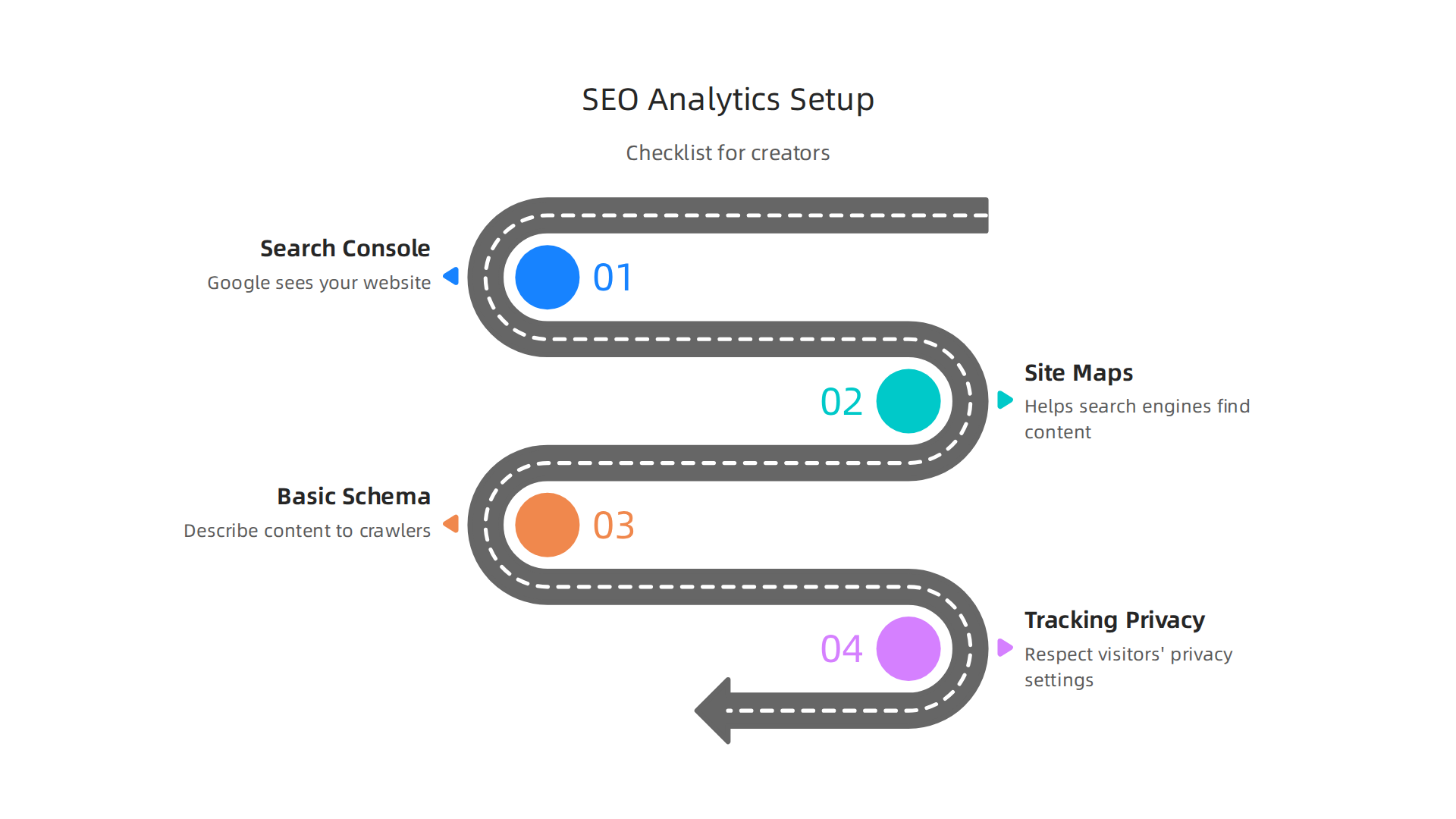
- Search Console: This is a free tool from Google. It shows you how Google sees your website, what searches bring people to you, and if there are any problems Google is having with your site. It is a must-have for any site, even those built with a
hostinger ai website builder. - Site Maps: Think of a site map as a list of all the pages on your website. It helps search engines find and understand all your content. Most modern website builders will create one for you automatically.
- Basic Schema: This is a special code you can add to your website that helps search engines understand what your content is about more deeply. For example, if you have a
showman apppage, schema can tell Google it is an application, not just a regular page. This helps your content show up better in specific searches. - Tracking Privacy-Friendly Metrics: In 2026, privacy matters a lot. Tools like Google Analytics 4 (GA4) are built with privacy in mind. They help you understand your audience without collecting too much personal information. Make sure your analytics respect your visitors’ privacy settings.
By paying attention to these things, you can make sure your amazing creations reach the right people and keep them coming back for more.
Ready to connect with more creators and get updates on new ways to share your work? Join The Newsletter and become part of a community that helps you turn ideas into action.
6) E-commerce & Monetization: Simple Product Funnels and Payments
Once you have made sure your amazing creative work can be found online and people are coming to your site, the next big step is turning that interest into income. This is where e-commerce comes in. It is about selling your creations and getting paid for your hard work. Even if you are using a simple platform, like a [hostinger ai website builder], setting up ways to make money is easier than ever in 2026.
Creators have many good ways to earn from their work:
- Selling Digital Products: This could be e-books, digital art, music, presets, online courses, or even access to a special Master the Snapseed Photo Editor App with Essential Tools and Creative Tips you have made. These are easy to deliver and can be sold many times.
- Memberships: You can offer special content or a private community to people who pay a regular fee. This builds a loyal audience and a steady income.
- Tipping and Donations: Sometimes, people just want to support your work. Simple "buy me a coffee" options or donation buttons let fans give you money directly.
- Lightweight Storefronts: Many website builders let you add a simple shop right to your [wix website portfolio] or [godly website]. These stores have built-in ways to take payments, making it easy to sell physical goods or print-on-demand items too.
How Payments Work: Providers, Fees, and Safety
When you sell something online, you need a way to take money safely. This is where payment providers come in. Companies like Stripe, PayPal, and Square are popular choices.
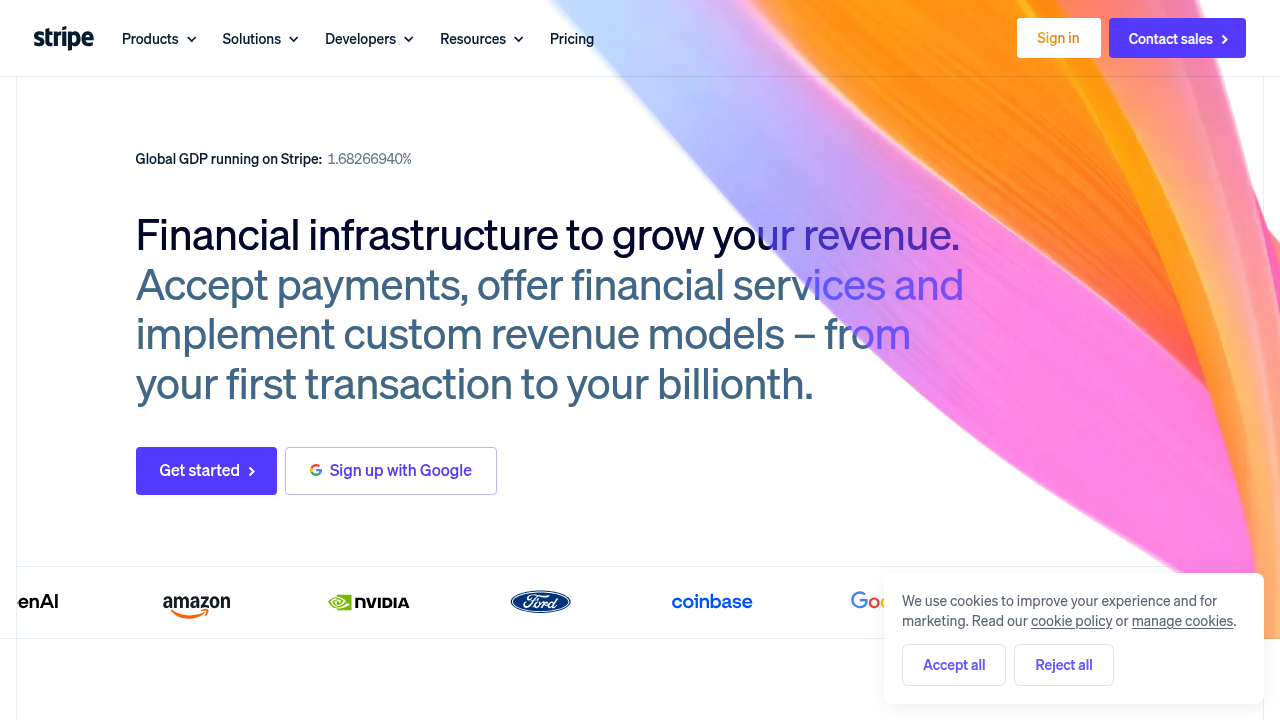
They handle the tricky parts of taking credit card payments and sending the money to your bank.
What to think about:
- Security: Handling credit card information is very serious. Luckily, when you use trusted payment providers, they take care of most of the security rules for you. This means they are responsible for meeting standards like PCI DSS, which keeps customer card data safe Payment Processing for Creators: 2026 Guide | InfluenceFlow.
- Fees: These providers charge a small fee for each sale. These fees can vary, so it is a good idea to compare them. Think about which payment methods your customers like to use too, as fees can differ.
- Easy Checkout: Make it super simple for people to buy from you. A smooth checkout process means fewer people will leave without buying. Offering popular options like mobile wallets (Apple Pay, Google Pay) can make buying even faster on phones in 2026 What Works for E-Commerce Payments in 2026 – Payneteasy.
- Taxes: When you earn money, you usually need to pay taxes. Your payment provider will often give you reports to help with this, but it is always smart to talk to a tax expert to make sure you are doing things right. For example, creators always need good strategies. Consider looking at some of the Best Task Management Apps 2026 for Focus and Productivity to help manage your sales and creative process.
Starting to monetize your creative work might seem a bit much, but with the right tools and a clear plan, you can build a stable way to earn from your passions. It is all about taking small steps and learning as you go.
If you are ready to put these ideas into action and see what is possible, Join An Experiment and start turning your creative passion into tangible results.
7) Security, backups & maintenance: keep your creative work safe
After you have built your online space and found ways to earn money from your amazing creations, it is super important to keep everything safe. Imagine putting in all that hard work only for it to disappear! This is why security, backups, and regular care are a must for your online home, whether it is a simple blog or a full [wix website portfolio] or a [godly website] you made with a [hostinger ai website builder].
Think of it like taking care of your real-world tools. You would not leave your camera out in the rain, right? Your website needs similar care in the digital world.
Here are the important things to look after:
- Automated Backups: This is like having a copy of everything. If something goes wrong, you can quickly put your website back how it was. Many website services offer automatic backups. Make sure yours is turned on and working.
- Updates: Software and tools get better over time. They also get fixes for any small problems or weaknesses. Keep your website platform, plugins, and themes updated. This helps keep bad guys out.
- SSL Certificate: You might have seen "HTTPS" in front of a website address. The "S" means it is secure. An SSL certificate makes sure that information sent between your visitors and your site is private. This is very important if you are taking payments.
- Access Controls: This means who can get into your website’s important parts. Use strong, unique passwords. If you work with others, make sure they only have access to what they truly need. Remember, keeping payment data safe includes having strong passwords and secure networks for creators in 2026 Processing Creator Payments Guide for 2026.
- Basic Incident Response: This just means having a simple plan if something goes wrong. What would you do if your website stopped working? Knowing who to call or how to use your backup can save a lot of stress.
- Reviewing Permissions: If you use a [showman app] or other tools that connect to your website, check what permissions you give them. Only allow them to do what they really need to. This is a good way to protect your content, like beautiful visuals you might use for your work, perhaps even those found through Master Book Clipart for Eye-Catching Covers and Interiors.
How to plan for website care:
You do not need to be a tech wizard. Most website builders and hosting companies make these tasks easy.
- Time: Set aside a little bit of time each month for checks. Make sure updates are done and backups are working.
- Costs: Sometimes, better backup plans or security tools cost a little extra. Think of this as a small investment to protect your main source of income and your creative efforts. It is usually much cheaper than trying to fix a big problem after it happens.
By taking these small, regular steps, you can keep your online creative space safe and sound. This means less worry for you and more time to focus on what you do best: creating amazing things.
Once your online creative space is safe and sound, it is time to share your amazing work with the world. This next big step is all about how you launch your creations, help them grow, and keep people coming back for more.
Getting Ready to Launch
Think of your launch like a soft opening. You do not need a huge party right away.
- Start Small: Maybe send an email to friends and early followers. This helps you get feedback and make things even better before a wider release.
- Referral Fun: Offer special thanks or small gifts to people who tell their friends about your work. Word-of-mouth is very powerful.
- Community Building: Create a welcoming place where your audience can talk to each other and to you.

This could be a special chat group or a part of your website. Making people feel like they belong is key.
4. Smart Ads: Even small amounts of money spent on online ads can help new people find you. Focus your ads on people who are likely to love what you do.
Turn Visitors into Super Fans
It is great to have people visit your website, but how do you get them to stay and become active fans? It is all about good content, trying new things, and building a strong community.
- Amazing Content: Keep creating fresh, interesting content. This could be blog posts, videos, music, or art. In 2026, many SEO experts say that making original content is the best way to get more people to find you online. About 66.3% of them call it their most effective strategy 300+ SEO Statistics for 2026: Fresh, Verified Facts & Trends.
- Try New Things (Experiments): Sometimes, a simple new idea can make a big difference. Think of fun challenges or interactive stories that people can join in. This helps turn passive scrolling into active participation. If you’re ready to try something new and connect with others, why not Join An Experiment and see where your curiosity takes you?
- Talk to Your Community: Ask questions, listen to what your fans say, and make them feel heard. This helps build a real connection. Keeping your content fresh and engaging also means thinking about how you share your thoughts, like learning How to Write a Book Review That Makes Every Story Count if you’re a writer.
- Stay in Touch: A regular newsletter is a great way to share updates, behind-the-scenes looks, and upcoming plans. It keeps your community excited and involved.
By focusing on these steps, you can not only launch your creative work but also help it grow steadily. Remember, building a loyal audience takes time, care, and a lot of passion. If you want to stay connected and get updates on new books, challenges, and creator opportunities, be sure to Join The Newsletter.
Summary
This article guides creators through choosing and using modern website tools in 2026 so they can showcase work, attract an audience, and monetize without getting lost in tech. It explains core tool categories—from AI website builders (like Hostinger AI Website Builder) to hosting, domains, CMS, SEO, analytics, e‑commerce, and security—and shows how to prioritize a lean MVP before scaling. You’ll learn practical criteria for evaluating hosts (uptime, speed, CDN, backups, support), the tradeoffs between ready‑made templates and custom design, and how AI can speed layout, copy, and image work while preserving your creative voice. The piece also covers simple monetization funnels, safe payment options, and essential maintenance habits like automated backups and updates. Finally, it offers launch and community tactics to convert visitors into repeat fans so your site grows sustainably as your creative business matures.