
Introduction: The Digital Overload Paradox
You wake up to a phone full of notifications. Emails, chat messages, app alerts, and reminders. Your to‑do list keeps growing, yet at the end of the day you wonder what you actually accomplished.

Sound familiar? You are not alone.
Based on the latest time management statistics, knowledge workers spend 88% of their workweek managing emails, attending meetings, and chatting with teammates. That leaves very little time for the deep work that moves the needle. No wonder so many of us feel busy but unproductive.
The problem is not motivation. Most people simply lack a system. In fact, a recent survey highlighted in the time management statistics for 2026 found that 82% of people do not use any time management system at all. They rely on memory, sticky notes, or willpower. That leads to missed deadlines, stress, and burnout.
But here is the good news. By choosing the right task management apps and combining them with smart productivity tips, you can cut through the noise. You can stop reacting and start focusing on what matters. You can reduce anxiety and actually enjoy your work again.
This article will walk you through the best task management apps of 2026 and show you how to use them to reclaim your focus and your peace of mind. Ready to take the first step? Join An Experiment and start building a simpler, more effective workflow today.
1. Define Your Productivity Style First
Before you download the newest trending app, stop. What kind of worker are you? Productivity is not one-size-fits-all. The best task management apps work only if they match how your brain naturally operates.
Think about it. Some people love checking off a simple list. Others need to see everything on a board or calendar. Some folks work best by context, like "at my desk" or "on the go." And some people only get moving when a deadline is staring them in the face. All four styles are valid.
The problem is that most people grab a popular app without thinking about their own style. Then they get frustrated, abandon the tool, and go back to juggling sticky notes and memory. That is why 82% of people never stick with any system, as we saw earlier.
A better approach is to take five minutes to identify your natural style first. Are you a list-lover who thrives on checkboxes? A visual organizer who needs to drag and drop? A context-based worker who groups tasks by location or energy level? Or a deadline driver who only acts under time pressure?
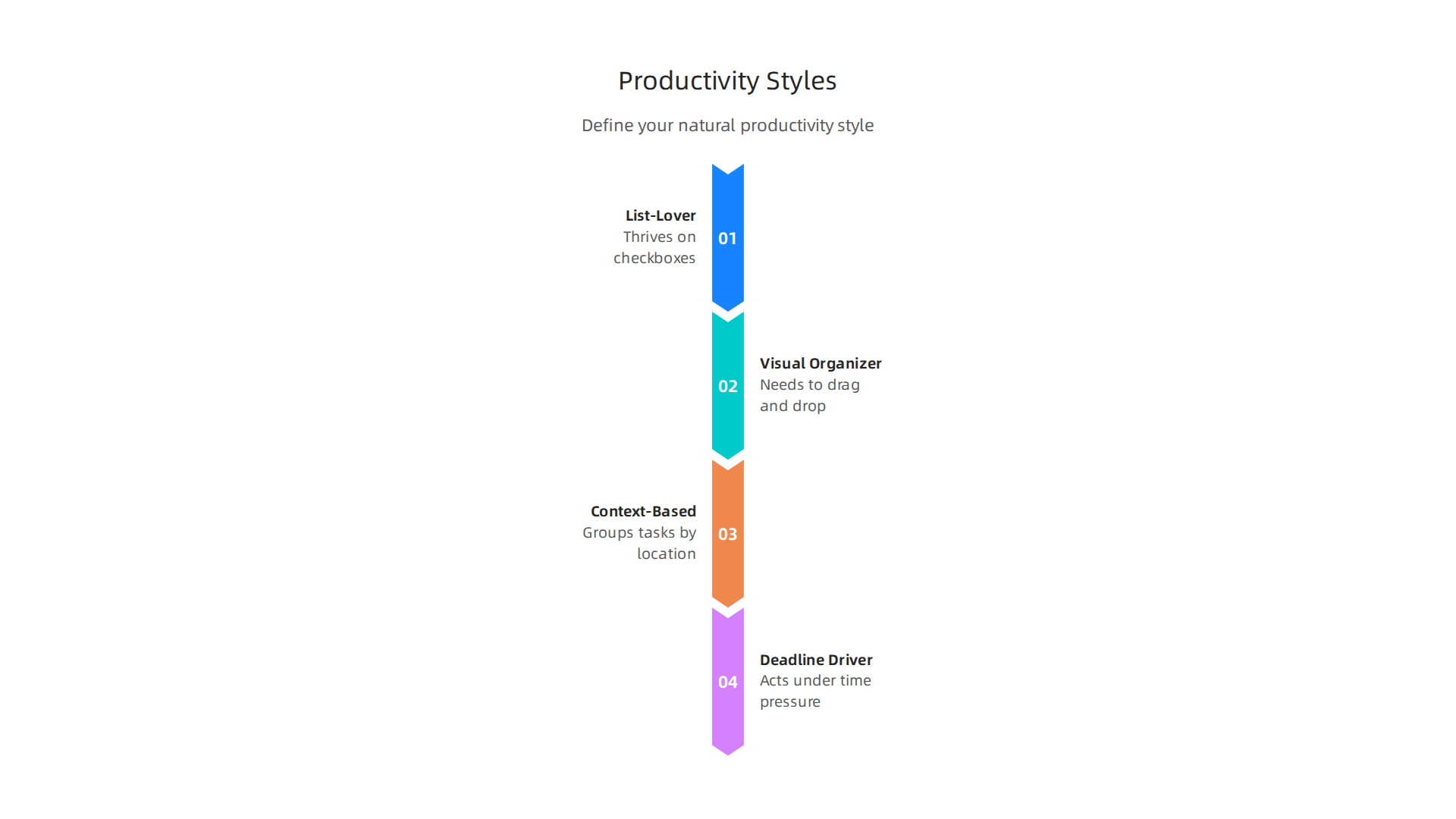
Once you know your style, you can pick a task management app that fits you, not the other way around. Following proven Task Management Best Practices for Project Managers can also help you see which patterns lead to consistency.
Matching your style to an app reduces friction. You will actually use it every day. That leads to less anxiety, fewer missed tasks, and more time for the work that matters. If stress from disorganization is affecting your mental health, resources like free online mental health screenings can give you a clearer picture of your well-being.
Take a moment right now to think about your style. Then the next sections will help you pick the perfect app for it.
2. Choose the Right Task Management App for Your Needs
Now that you know your natural style, it is time to pick the tool that fits. The best part? There are excellent options for everyone in 2026.
For personal use and simple list lovers, Todoist stands out. It balances power with simplicity. You can set due dates, reminders, and recurring tasks fast. If you work solo or just need a clean daily list, start here. PCMag gives it top marks in their roundup of The Best Task Management Apps We’ve Tested for 2026 for good reason.
If you manage a team or run projects with other people, Asana is a strong pick. It lets you assign tasks, set priorities, and track progress across a shared board. It works well for visual organizers and context-based workers too.
Need total flexibility? Notion combines notes, databases, and task lists in one workspace. It is great for people who like to build their own system from scratch. But it does take a bit more setup time.
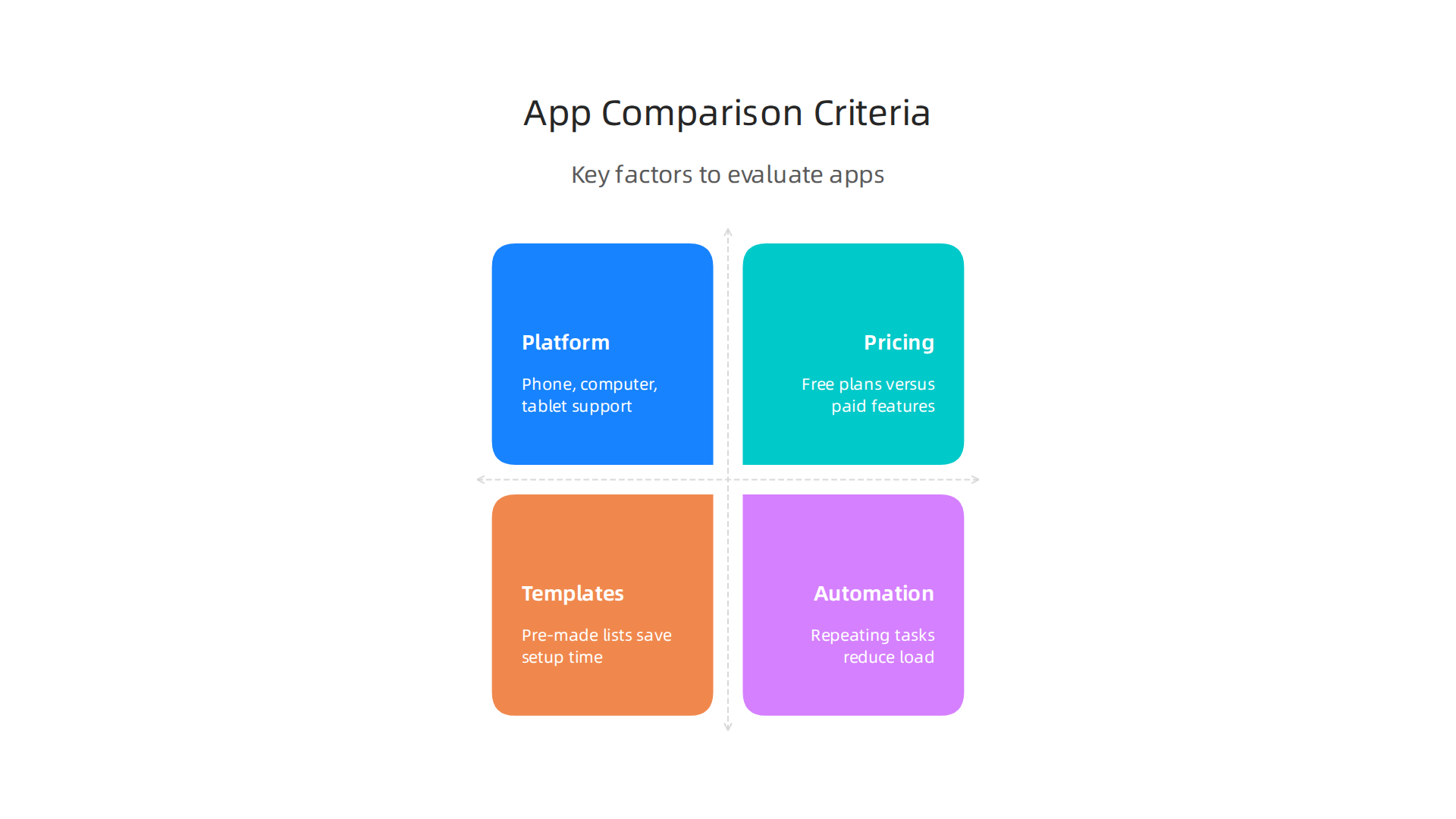
Here is what to look at when comparing your options:
| Criterion | Why It Matters |
|---|---|
| Platform availability | Does it work on your phone, computer, and tablet? |
| Pricing | Free plans exist, but paid ones unlock automation and templates |
| Templates | Pre-made lists save you setup time |
| Automation | Repeating tasks and reminders reduce mental load |
| Integrations | Connects with your calendar, email, and other tools |
| Collaboration | Share lists and tasks with family, friends, or coworkers |
Making a side-by-side comparison stops you from jumping between apps every few weeks. Pick one that checks most of your boxes, then commit to it for at least 30 days. That is how real habits form.
Once you have your tool in place, the next step is building a daily routine that actually sticks. If you are ready to connect with others who are also building better systems and habits, consider joining a community focused on growth and positive action. You can Join The Newsletter to stay inspired and get new productivity tips straight to your inbox.
3. Master the Inbox-to-Task Workflow
Your app is set up. Now comes the most powerful habit you can build: turning every incoming message into an actual task. Too many people treat their email inbox like a to do list. That is a trap. Your inbox is for receiving messages, not storing work.
Here is a simple rule to follow. When you open a message, decide immediately: delete, delegate, defer, or do.
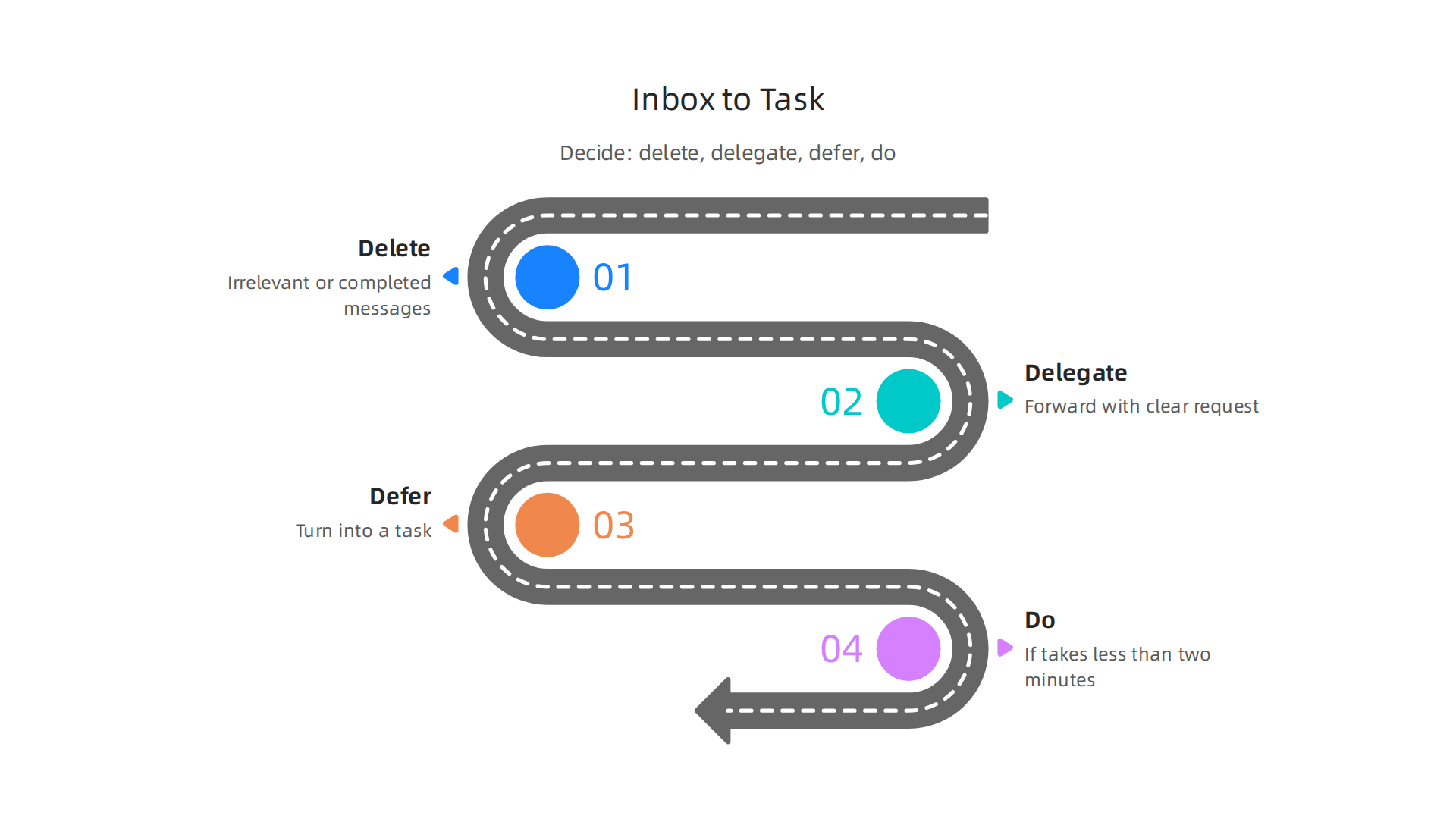
If it takes less than two minutes, do it now. If someone else should handle it, forward it with a clear request. If it needs more thought, turn it into a task inside your chosen app. Then archive or delete the email.
This method is one of the top task management best practices used by project managers to keep their workflows clean and focused. The goal is to never leave an action item sitting in your inbox without a home.
To make this stick, set up a dedicated "Inbox" project or label in your task management app. Use it as a catch all for any new task that comes in through email, text, or conversation. Process this inbox once or twice a day. Move each item to the right project, assign a due date, and add context.
This one habit alone can cut your mental clutter in half. It also helps you feel less overwhelmed, which is good for your overall wellbeing.
If you ever need words to describe how you are feeling to others, check out these mental health synonyms that build connection to reduce stigma and open up honest conversations.
Ready to try this workflow for real? Take the next step and Join An Experiment where you can put these ideas into action alongside a supportive community.
4. Use Templates to Eliminate Repetitive Setup
You have your inbox workflow running. But here is the thing: every Monday you probably build the same weekly plan, create the same meeting agenda, or set up the same project board from scratch. That is wasted time and mental energy. The fix is simple: use templates.
A template is a pre made structure you can reuse over and over. Instead of starting from zero, you open your template, make small changes, and go. It turns a fifteen minute setup into a two minute refresh.
What kinds of templates work well? Think about tasks you repeat often. A weekly planning template with sections for priorities, deadlines, and notes. A meeting agenda template with space for talking points, decisions, and action items. A content calendar template if you post regularly. Even a simple habit tracker can be templated so you just check off what you did each day.
Most task management apps in 2026 come with built in template libraries. Many popular tools offer collections designed for common workflows so you can start quickly. The trick is not to stop there. Customize a template to match your exact process. Add the labels you use most. Set default due dates. Include your own checklist items. Then save it as a personal template. Over time you will build a library of reusable tools that cover almost everything you do.
This practice does more than save time. It cuts down on decision fatigue and mental clutter. When you stop asking yourself "how should I set this up each week," you free up brain space for more important work. That is good for your productivity and your mental health. If you ever feel the weight of too many repeating tasks and need support, take a quick check with a mental health screening to see how you are doing.
Give templates a try this week. Pick one recurring task and build a template for it. You will wonder why you did not start sooner.
5. Automate Reminders and Recurring Tasks
Templates handle the structure. But what about the timing? You still need to remember to use them. Relying on your brain to recall every weekly check-in or monthly review is a recipe for forgetfulness. One missed reminder and your whole system wobbles.
That is where automation comes into play. Most task management apps in 2026 let you set recurring due dates. You can tell your app to create a "Weekly Planning" task every Monday at 9 AM, or a "Review Budget" task on the first of each month. Once you set the schedule, the app handles it from there. No manual copying needed.
You can also add smart reminders based on location or time. For example, if you always need to grab a specific file before leaving the house, set a location-based reminder that pops up when you arrive at your front door. The app detects where you are and nudges you at exactly the right moment.
For bigger automation chains, connect your app to services like Zapier or IFTTT. These tools let you create triggers and actions across different apps. When you mark a task as complete in your task manager, Zapier can automatically log it in a spreadsheet, email your team, or add a note to your calendar. It turns a single click into a chain of follow‑up steps.
This level of automation does more than save time. It cuts down the mental load of remembering every step. Reducing that stress is a genuine form of self‑care. In fact, building better routines around your mental health can start with understanding the language of well‑being. If you want to talk more openly about how you feel, check out this guide on mental health synonyms that build connection.
Once your reminders and recurring tasks are automated, you free up headspace to focus on bigger goals. And if you are ready to turn that newfound focus into action and connect with a supportive community, consider taking the next step. Join An Experiment and see how small wins and shared challenges can transform your daily habits.
6. Integrate with Calendar and Communication Tools
You have automated your reminders. Now it is time to connect your task management apps to the tools you already use every day. This step turns your task list into a central command center.
Start with your calendar. Syncing your task app with Google Calendar or Outlook lets you see your to-dos right next to your meetings. You can drag a task onto a time slot and suddenly it becomes a real appointment. This is called time blocking. Instead of a vague "work on project" task, you have a solid 2-hour block on your calendar. Many apps offer built-in calendar integration that shows tasks and events together in one view. That unified picture helps you plan your day without switching between screens.
Next, connect your task app to your communication tools. Slack, Microsoft Teams, and Discord are where conversations happen. When you add an integration, you can turn a chat message into a task without leaving the app. Your team can see task updates right in the channel. No more digging through email threads to find out what is due. This keeps everyone on the same page without extra effort.
A unified view of your tasks and events does more than save clicks. It reduces mental overhead. You stop worrying about double-booking yourself or forgetting a deadline. That peace of mind is a small but powerful form of self-care. If you want to take that feeling further and connect with others on the same journey, check out these online mental health screenings and support.
Once your tasks, calendar, and communication all talk to each other, your whole system runs smoother. And if you are ready to turn that smoother routine into something bigger, consider joining a community that celebrates small wins and shared action. Join The Newsletter to stay connected and get more productivity tips straight to your inbox.
7. Leverage Collaboration Features for Team Projects
Once your personal system is running smoothly, you might need to bring others into the mix. That is where task management apps with strong collaboration features become essential.
Shared project boards let everyone see the same picture at the same time. Instead of sending status update emails, team members can check the board, see who is working on what, and pick up their next task. Task assignments make responsibility clear. Comments on individual tasks keep conversations right where the work happens, not scattered across chat threads.
Look for features like due dates, task dependencies, and progress tracking.
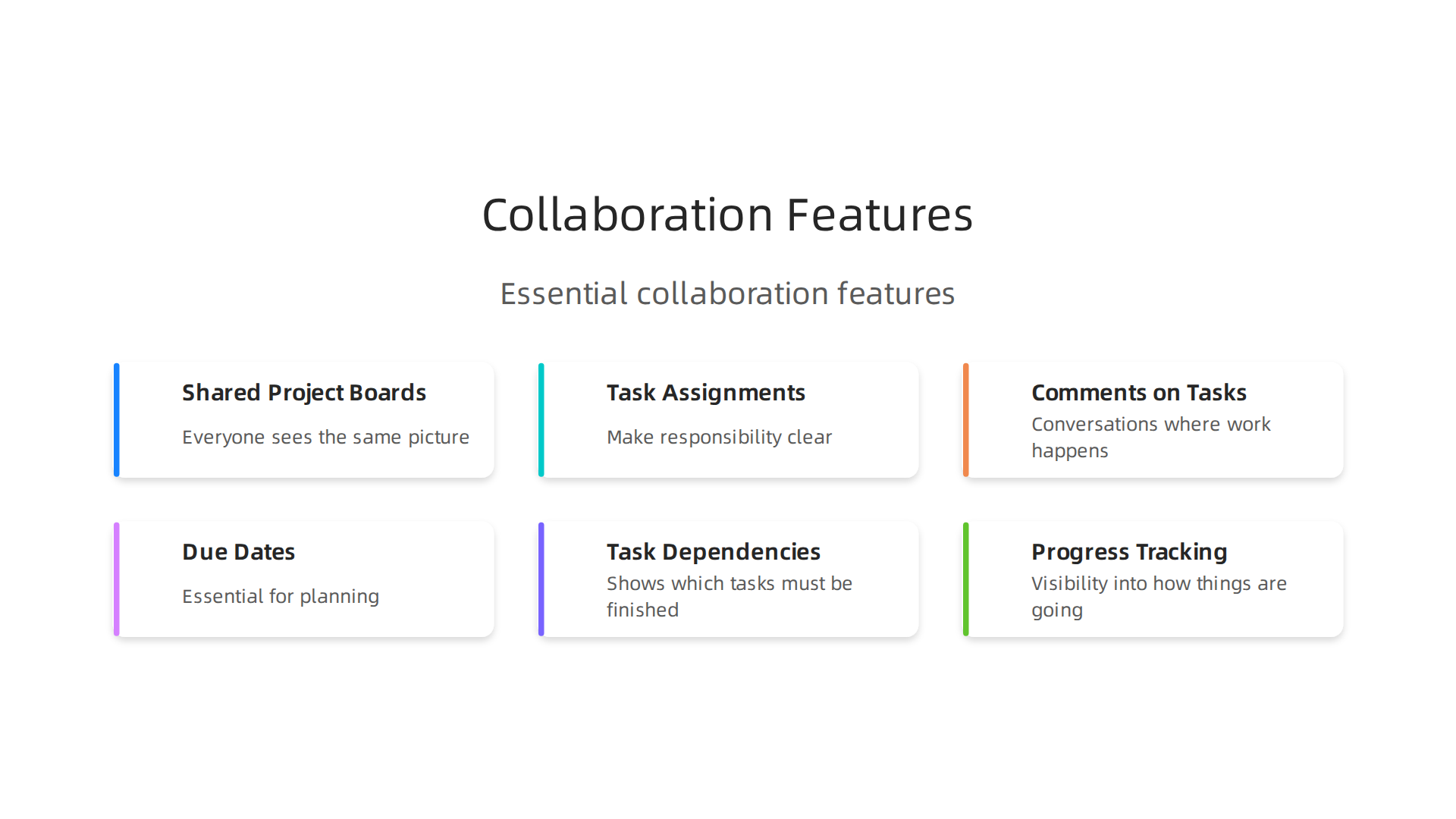
Dependencies are especially useful. They show which tasks must be finished before others can start. This prevents bottlenecks and keeps projects moving forward smoothly. Progress tracking gives managers and teammates visibility into how things are going without constant check-ins.
When choosing an app, pick one that scales from personal use to team use. Switching tools later is a headache you can avoid. Many top-rated options offer both individual and team plans. You can find the best options for your situation using the latest expert reviews of the best task management apps available for this year.
Using collaboration features well reduces email overload and keeps everyone aligned. That shared visibility also lowers stress. When you know what your teammates are doing and they know what you need, trust builds naturally. That kind of connection is good for your mental health. You can learn more about how build connection and reduce stigma around mental health at work to support a healthier team culture.
Collaboration features turn a solo productivity system into a team powerhouse. When your whole team uses the same tool the same way, work feels lighter and results come faster.
8. Apply the Two-Minute Rule with Your App
Here is a simple trick that can change how you use your task management apps. It is called the two-minute rule. If a task takes less than two minutes, do it right away. Do not write it down. Do not add it to a list. Just do it.
Why does this matter? Because those tiny tasks pile up fast. Sending a quick email. Filing a document. Checking a calendar date. Writing each one into your task manager creates clutter. Your brain has to process each item, decide when to do it, and remember to come back. That mental load adds up.
Instead, train yourself to spot two-minute tasks and handle them immediately. This keeps your task lists cleaner and more focused on meaningful work.
What about tasks that almost fit? For quick items you cannot do right now, use a "Someday" list or a "Quick Tasks" folder in your app. Drop them there and move on. Later, when you have a few minutes, open that folder and knock them out fast. This stops small tasks from getting lost while keeping your main project boards clear.
The real magic is psychological. Small wins build momentum. Each tiny completed task sends a signal to your brain that says "we are making progress." That feeling fights procrastination. When you finish a small task, you feel a tiny boost of energy. That boost helps you start the next task.
Mental health professionals often recommend task completion strategies to help people feel better and reduce overwhelm. The two-minute rule fits right into that approach. Completing small tasks gives you a sense of control. You stop feeling stuck and start feeling capable.
Try this today. For the next hour, whenever a task takes under two minutes, just do it. No list. No delay. See how it changes your energy. If you want to take this further and turn small actions into bigger changes, you could join an experiment designed to help people build momentum through simple challenges.
The two-minute rule is not about doing everything fast. It is about stopping small tasks from becoming big mental weights. Your task management apps work better when they hold only the things that truly need planning. Everything else? Just get it done.
9. Review and Reflect Weekly
The two-minute rule from the last section handles the quick wins. But what about the bigger tasks that take real time and focus? Those need a different kind of attention. Without a plan, they just sit in your task management apps and weigh on your mind.
That is where a weekly review changes everything.
Pick a regular time each week. Friday afternoon works well for most people. Block out just 30 minutes. During this time, open your app and process your inbox. Update the status of every task.

Move unfinished items to next week or archive them if they no longer matter. Then plan your top priorities for the week ahead.
This simple habit stops you from drifting. Without it, you react to whatever pops up. With it, you stay in control. Your task management apps stop being passive to-do lists and become active productivity hubs that work for you.
A weekly review also helps your mental health. When you look back at what you finished, you see real progress. The psychology behind task completion shows that recognizing your achievements builds confidence over time. You feel capable instead of stuck.
If you struggle to put words to how your week went, learning a few mental health synonyms can make reflection easier. Naming your feelings helps you understand what drained your energy and what gave you energy.
Understanding the psychology of unfinished tasks also helps. Your brain holds onto incomplete work. It keeps nagging you. A weekly review lets you make a clear choice about each leftover task. You either schedule it for next week or let it go. That decision frees up mental space.
The weekly review is not about judging yourself. Some weeks you finish everything. Other weeks you shift things forward. Both are okay. The goal is to make sure your system serves you, not the other way around. With this habit, your task management apps become tools for real progress.
Summary
This article explains how to escape digital overload by picking and using the right task management apps in 2026, while pairing them with practical habits that actually stick. It starts by helping you identify your natural productivity style so you choose an app that fits your brain, then compares top app types (Todoist, Asana, Notion) and the key criteria to evaluate. You’ll learn an inbox-to-task workflow that prevents messages from becoming to-do clutter, how to save time with templates, and ways to automate recurring tasks and reminders. The guide also covers integrating tasks with calendars and chat tools, using collaboration features for team work, applying the two-minute rule to clear small items fast, and running a weekly review to stay focused. Read it to build a simple, reliable system that reduces stress, improves focus, and makes your task app actually work for you.